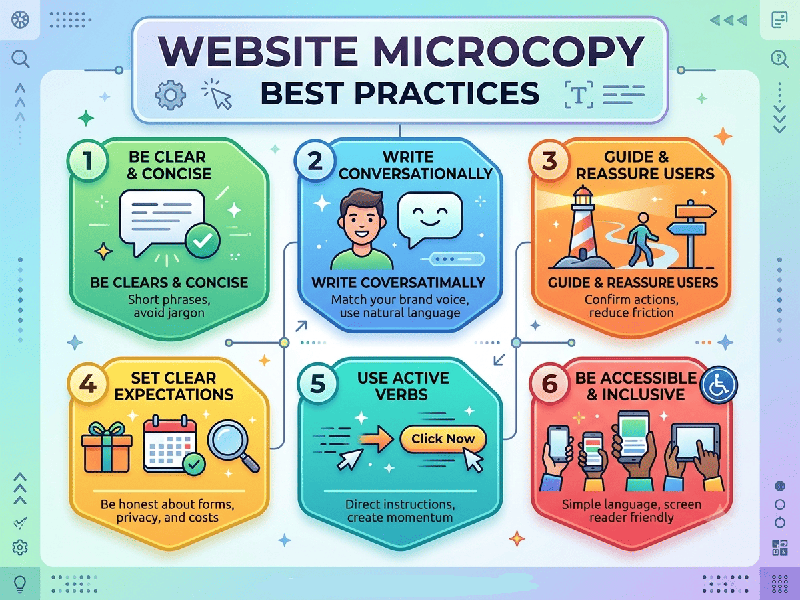
Website Microcopy Best Practices
Website microcopy refers to the small snippets of UI
copy—button labels, error messages, form hints, tooltips, and confirmation
messages—that guide users through a digital product. Great microcopy reduces
friction, clarifies intent, and improves conversion rates.
1. Core Principles of Microcopy
- Be Clear Before Clever: Prioritize functional clarity
over witty brand voice. If a user has to pause to understand what a button
or label means, the copy has failed.
- Be Action-Oriented: Start action buttons (CTAs)
with strong, specific verbs that state exactly what happens next (e.g., "Download
Free Ebook" or "Create Account" instead of "Submit"
or "Go").
- Be Concise: Omit unnecessary words.
Microcopy should be scannable at a glance.
- Maintain Consistency: Use uniform terminology across
the entire user flow (e.g., do not alternate between "Cart"
and "Bag", or "Log In" and "Sign
In").
2. Best Practices by UI Component
Form Fields & Inputs
- Explain Why: If asking for sensitive or
non-obvious information (e.g., phone number or date of birth), explain
briefly below or inside a tooltip why it is needed ("We ask for
your phone number strictly for order delivery tracking").
- Use In-line Validation: Show feedback while users type
rather than after form submission.
- Provide Example Formats: Clear placeholder text or
helper labels reduce input errors ("e.g., [email protected]"
or "MM/DD/YYYY").
Error Messages
- Never Blame the User: Avoid harsh phrasing like "Invalid
Input" or "You forgot to fill out...".
- State the Problem & Solution
clearly:
o Bad: "Error 404"
o Good: "We couldn't find that page.
Check the URL or head back to our homepage."
- Be Specific: Tell the user exactly how to
fix the issue ("Passwords must be at least 8 characters and
include a number").
Success & Confirmation Messages
- Confirm the Action: Reassure the user that their
request went through ("Order #1042 Confirmed!").
- Set Clear Expectations: Detail the immediate next steps
("We’ve sent a confirmation email with tracking details. Expect
delivery in 2–3 business days.").
- Provide Next Actions: Keep the momentum going by
suggesting a logical next step ("Return to Dashboard" or "Explore
Featured Products").
Buttons & Call-to-Actions (CTAs)
- Match Intent: Use first-person or
second-person phrasing based on context ("Start My Free
Trial" or "Get Your Instant Quote").
- Remove Friction & Risk: Add low-friction microcopy near
key action buttons ("No credit card required", "Cancel
anytime", or "Takes under 2 minutes").