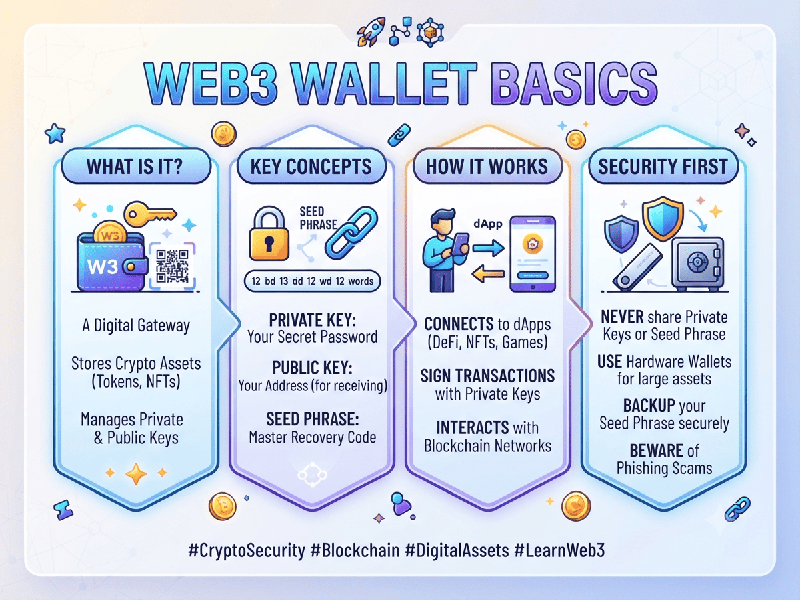
Web3 Wallet Basics
A Web3 wallet is more than just a digital storage
space for cryptocurrency; it is your "passport" to the
decentralized web. Unlike traditional banking apps that rely on usernames and
passwords, a Web3 wallet uses cryptographic keys to authenticate your identity
and interact directly with blockchain networks and decentralized applications
(dApps).
How a Web3 Wallet Works
At its core, a Web3 wallet manages two primary
cryptographic components:
- Public Key (Your Address): This functions like an email
address or bank account number. You share this openly with others so they
can send you tokens or NFTs.
- Private Key (Your Signature): This is a secret, highly
sensitive code that proves you own the assets at your public address. It
is used to "sign" transactions. Whoever holds the private key
controls the assets.
These keys are typically derived from a Seed Phrase
(also known as a recovery phrase)—a string of 12 to 24 random words. This
phrase is the master key to your wallet; if you lose it, you lose access to
your funds forever.
Key Benefits
- Self-Custody: You are in complete control of
your funds; no bank or institution can freeze your assets.
- Decentralized Access: You can connect to platforms
like OpenSea (NFTs), Aave (DeFi), or Uniswap (DEX) without creating
separate accounts for each.
- Privacy: Many wallets do not require
personal identification (KYC) to function, allowing for greater anonymity.
Essential Security Best Practices
Since Web3 operates on a "no-intermediary"
model, security is entirely your responsibility:
1.
Never Share Your Seed Phrase: No legitimate support team will ever ask for your 12–24 word
phrase. Anyone with this phrase has full access to your wallet.
2.
Use Hardware Wallets: For significant holdings, move your assets to an offline
"Cold" hardware device.
3.
Watch for Phishing: Be wary of suspicious links or "connect your wallet" prompts
on unknown websites.
4.
Manage Permissions: Regularly check the "approvals" you have granted to dApps.
Some contracts may ask for "unlimited" spending permissions, which
can be a risk if the dApp is compromised.
Backup Physically: Write your seed phrase on paper or metal and store it in a secure, fireproof, and offline location. Never store it digitally (e.g., in a screenshot, notes app, or email).