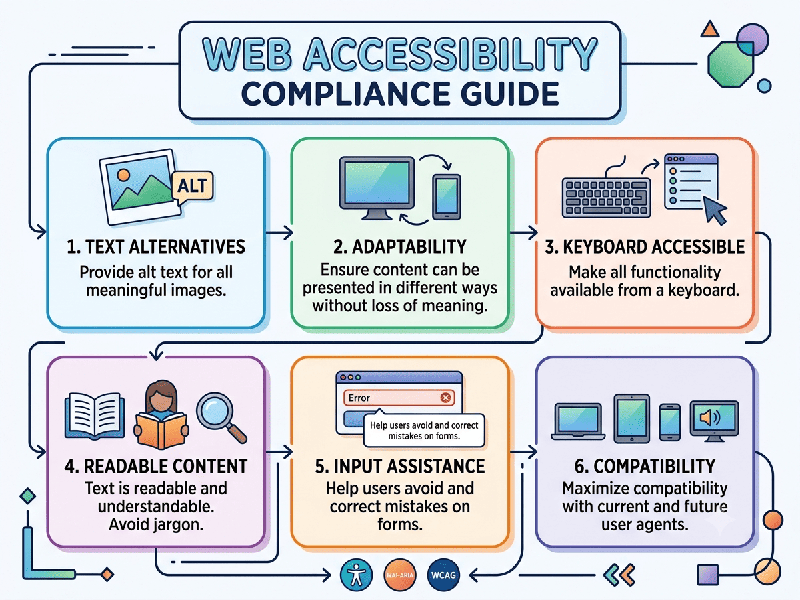
Web Accessibility Compliance Guide
Web accessibility compliance refers to the practice of
designing, developing, and maintaining websites and digital tools so that people
with disabilities can perceive, understand, navigate, and interact with them.
The global standard for accessibility is the Web
Content Accessibility Guidelines (WCAG), maintained by the World Wide Web
Consortium (W3C).
The Four Pillars of Accessibility (POUR)
To be compliant, digital content must meet these four
principles:
- Perceivable: Information and UI components
must be presentable to users in ways they can perceive (e.g., providing
text alternatives for non-text content like images).
- Operable: UI components and navigation
must be usable (e.g., ensuring all functionality is available via a
keyboard, not just a mouse).
- Understandable: Information and the operation
of the UI must be clear (e.g., predictable navigation and clear error
identification).
- Robust: Content must be robust enough
to be interpreted by a wide variety of user agents, including assistive
technologies like screen readers.
Compliance Levels (WCAG)
- Level A (Minimum): The baseline level of
accessibility. A website that does not meet Level A is considered
"inaccessible" for many users.
- Level AA (Target): The industry standard for legal
compliance (e.g., Section 508 in the US, EN 301 549 in the EU). Most
organizations aim for this level to avoid lawsuits.
- Level AAA (Highest): The highest level of
accessibility; often reserved for specialized websites or government
portals.
Why It Matters
1.
Legal Requirements: Many jurisdictions have strict laws (like the ADA in the US or EAA in
Europe) requiring digital accessibility. Non-compliance can lead to significant
litigation.
2.
Expanded Market Reach: There are over 1 billion people with disabilities worldwide.
An accessible site ensures you aren't excluding this massive user base.
3.
SEO & Usability: Accessibility best practices often overlap with SEO (e.g., clear
headings and descriptive links) and improve the overall user experience for everyone,
not just those with disabilities.
Recommended Tools for Testing
- WAVE (Web Accessibility
Evaluation Tool): A browser extension that identifies accessibility errors directly
on your live page.
- Axe DevTools: A powerful automated testing
tool for developers to catch issues during the coding phase.
- Screen Readers: Manually test your site using
tools like NVDA (Windows) or VoiceOver (macOS) to understand
how a user with a visual impairment experiences your content.