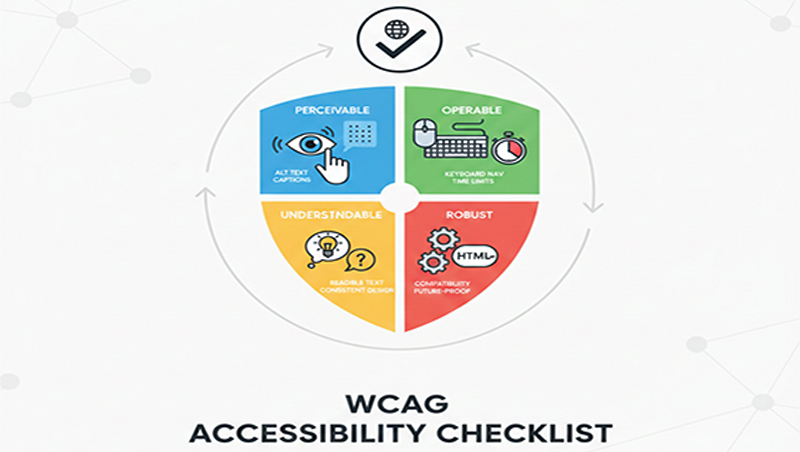
WCAG Accessibility Checklist
WCAG 2.2
Level AA is the
operative global standard for web accessibility compliance. While many laws
still reference version 2.1, adopting 2.2 future-proofs digital products
against upcoming regulatory updates in the US, UK, and EU.
Below is a
summary checklist based on the four POUR principles
(Perceivable, Operable, Understandable, Robust).
1.
Perceivable (Can everyone see or hear the content?)
- Text Alternatives: Provide descriptive alt text
for non-decorative images.
- Multimedia:
- Add synchronized captions to
all pre-recorded videos.
- Provide text transcripts for
audio-only content.
- Adaptability: Ensure the site functions
in both portrait and landscape modes.
- Distinguishable:
- Contrast Ratio: Minimum 4.5:1 for
standard text and 3:1 for large text or UI components
(icons, buttons).
- Reflow: Ensure no horizontal
scrolling at a width of 320px (400% zoom).
- Use of Color: Never use color as
the only way to convey information (e.g., "required
fields in red").
2.
Operable (Can everyone use the navigation and interface?)
- Keyboard Accessible:
- All functionality must be
usable via keyboard alone.
- Prevent "keyboard
traps" where users cannot move focus out of a component.
- Navigable:
- Provide a "Skip to Main
Content" link at the top of the page.
- Focus Appearance (New in 2.2): Focus indicators must be
highly visible and not obscured by other elements (like sticky headers).
- Input Modalities:
- Dragging Movements (New in
2.2): Provide
a single-click alternative for actions requiring dragging (e.g., sliders
or sortable lists).
- Target Size (New in 2.2): Interactive elements must
be at least 24x24 CSS pixels, or have sufficient spacing
around them.
3.
Understandable (Is the information clear and predictable?)
- Readable: Declare the default
language of every page in the <html> tag.
- Predictable:
- Consistent Help (New in 2.2): Place help mechanisms
(chat, contact links) in the same relative location on every page.
- Navigation menus must stay in
the same order across the site.
- Input Assistance:
- Redundant Entry (New in 2.2): Users should not have to
re-enter information previously provided in the same session.
- Accessible Authentication (New
in 2.2): Do
not rely solely on "cognitive function tests" (like memorizing
passwords or solving puzzles) unless an alternative like biometrics or
password manager support is available.
4. Robust
(Does it work with assistive technology?)
- Name, Role, Value: Use semantic HTML (tags
like <button>, <nav>, <header>) so screen
readers can correctly interpret the purpose of elements.
- Status Messages: Use ARIA live regions to announce dynamic updates (like search results appearing or errors occurring) without moving user focus.