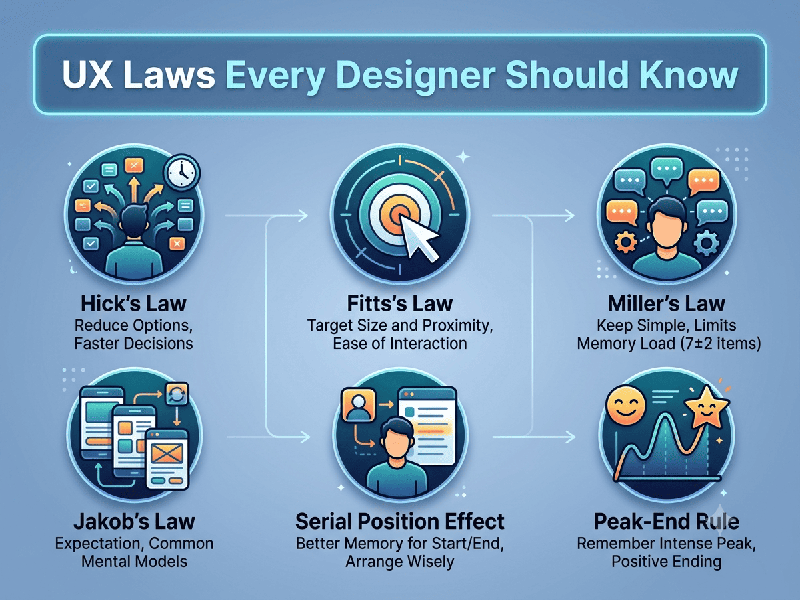
UX Laws Every Designer Should Know
Understanding UX laws is essential for creating
intuitive, efficient, and user-centered designs. These principles are rooted in
human psychology and help designers predict how users will interact with an
interface.
1. Fitts’s Law
The Principle: The time to acquire a target is a function of the distance
to and size of the target.
- Key Takeaway: Make important interactive
elements (like Call-to-Action buttons) large and place them in areas that
are easy to reach.
2. Hick’s Law
The Principle: The time it takes to make a decision increases with the
number and complexity of choices.
- Key Takeaway: Simplify decision-making by
limiting options. Use progressive disclosure to reveal information only
when necessary to avoid overwhelming the user.
3. Jakob’s Law
The Principle: Users spend most of their time on other sites, meaning they
prefer your site to work the same way as all the other sites they already know.
- Key Takeaway: Don’t reinvent the wheel.
Follow established design patterns (e.g., placing the logo in the top-left
corner, using a shopping cart icon for e-commerce) to reduce cognitive
load.
4. Law of Proximity
The Principle: Objects that are near, or "proximate," to each
other tend to be grouped together.
- Key Takeaway: Use whitespace and grouping to
organize content. Items that are related should be placed physically
closer to one another to imply a relationship.
5. Law of Similarity
The Principle: The human eye tends to perceive similar elements in a design
as a complete picture, shape, or group.
- Key Takeaway: Ensure elements that perform
the same function look the same (e.g., all primary buttons should have the
same color and style).
6. Miller’s Law
The Principle: The average person can only keep 7 (plus or minus 2) items
in their working memory.
- Key Takeaway: Organize content into small,
manageable chunks. Grouping information makes it easier for users to
process and remember.
7. Parkinson’s Law
The Principle: Any task will swell in importance and complexity in relation
to the time allotted for its completion.
- Key Takeaway: If a task requires input,
reduce the number of steps and time required to complete it. For example,
optimize form fields to be as brief as possible.
8. Peak-End Rule
The Principle: People judge an experience largely based on how they felt at
its peak (the most intense point) and at its end, rather than the total sum of
the experience.
- Key Takeaway: Focus on making the most
important interaction (the peak) seamless and ensure the conclusion of a
user journey (like a "Success" or "Thank You" screen)
is positive and rewarding.
9. Serial Position Effect
The Principle: Users have a propensity to best remember the first and last
items in a series.
- Key Takeaway: Place the most important
information, features, or menu items at the beginning and the end of lists
or navigation menus.
10. Tesler’s Law (The Law of Conservation of
Complexity)
The Principle: For any system, there is a certain amount of complexity that
cannot be reduced.
- Key Takeaway: You cannot simplify a complex
process indefinitely; eventually, the burden shifts to the user. Try to
handle the complexity in the design so the user doesn't have to.