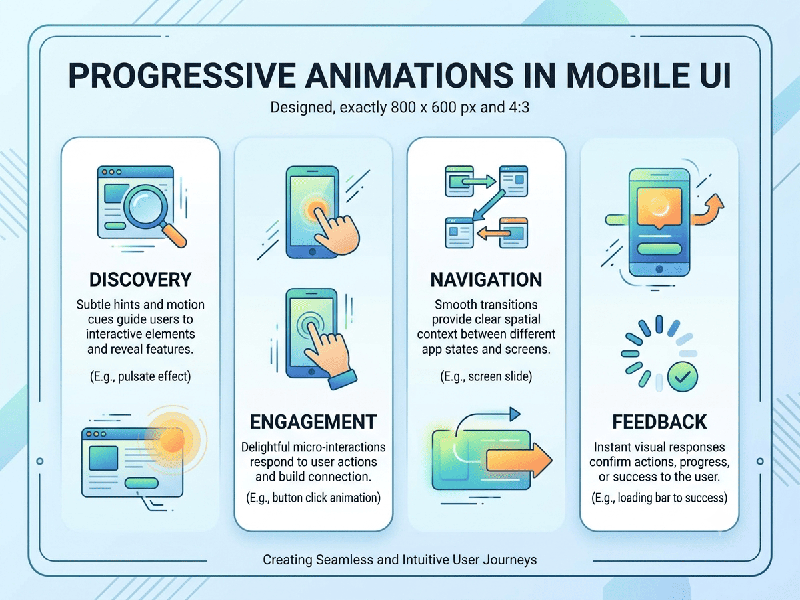
Progressive Animations in Mobile UI
Progressive Animations in Mobile UI are dynamic visual transitions
designed to guide users through complex flows, multi-step tasks, or state
changes incrementally. Rather than displaying sudden UI updates, progressive
animations visually link user inputs to immediate feedback—reducing perceived
latency, improving spatial orientation, and preventing cognitive overload.
Key Applications & Design Patterns
- Progressive Loading &
Skeleton Screens
Replaces static spinner indicators with shimmer
animations across placeholder layouts, signaling to the user that content is
rendering sequentially.
- Multi-Step Form Steppers
Visually transitions elements (such as expanding input
cards or sliding form fields) as users complete each step in onboarding,
checkout, or KYC workflows.
- Shared Element & Morphing
Transitions
Smoothly transforms one UI component into another
(e.g., expanding a list item card into a full-screen view) to maintain
contextual spatial awareness.
- Micro-Interactive Visual
Feedback
Offers progressive visual updates during long
background actions, such as animating button fill-levels or checkmark state
transitions during payment processing.
1.Define Choreography & Physics:Establish clear motion curves and durations.
Set motion duration (typically 200ms–400ms for mobile)
and apply ease-out or spring-physics curves so animations feel natural rather
than mechanical.
2.Implement Shared Element Transitions:Preserve screen hierarchy during
state shifts.
Connect source components to target states using
shared element keyframes to maintain spatial context during navigation
transitions.
3.Bind Animation Timelines to State Progression:Prevent UI blocking on background
processes.
Link animation keyframes directly to data loading
states or API completion metrics rather than relying on fixed static timers.
4.Optimize Performance & Reduced-Motion Modes:Ensure accessible design across
target devices.
Offload rendering to GPU layers (transform/opacity
hardware acceleration) and provide fallback static states when
prefers-reduced-motion is enabled.