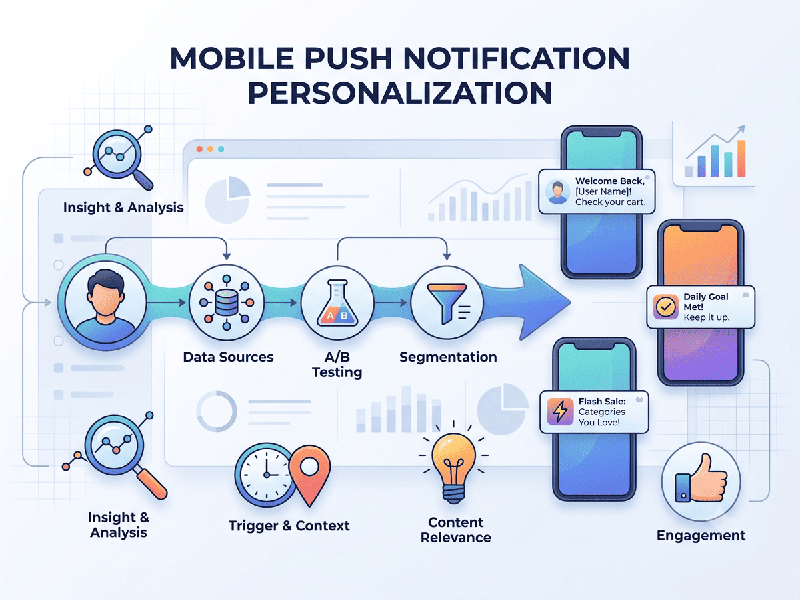
Mobile Push Notification Personalization
Personalizing mobile push notifications is one of the
most effective ways to increase user retention, engagement, and conversion
rates. By moving away from "one-size-fits-all" blasts, you create
value for the user rather than noise.
1. Foundation: Data Collection
Personalization is only as good as the data driving
it. You should leverage three main data pillars:
- User Attributes: Demographics, location,
language, and device type.
- Behavioral Data: Past purchases, search history,
pages visited, or features used.
- Contextual Data: Time of day, current weather,
local events, or session duration.
2. Key Personalization Strategies
A. Behavioral Triggering
Instead of sending messages on your schedule, send
them based on user actions.
- Abandoned Cart: Send a reminder for items left
behind, potentially including a small discount or a "low stock"
warning.
- Onboarding Completion: If a user stops halfway through
a setup tutorial, send a push notification offering help or highlighting
the value of the final step.
- Content Recommendations: If a user frequently reads
articles or views products in a specific category (e.g., "Running
Gear"), suggest new arrivals in that category.
B. Dynamic Content Insertion
Use tags within your messaging platform to
automatically populate details specific to that user.
- Name Personalization: Use Hi {{first_name}}! to
immediately grab attention.
- Dynamic References: Use deep links to take the user
directly to the specific item they were looking at, rather than the app
home screen.
C. Geolocation (Geofencing)
Use a user’s physical location to send relevant,
timely messages.
- Proximity Marketing: Send a notification when a user
is within a few blocks of your physical store.
- Location-Specific Offers: "It’s raining in Mumbai
today—get 20% off indoor activities!"
D. Intelligent Timing (Send-Time Optimization)
Don't rely on a global send time. Use machine learning tools to deliver the notification at the exact hour the individual user is most likely to open their app.
3. The "Golden Rule" of Personalization
Always prioritize utility over intrusion. Before sending a personalized
notification, ask: "Does this provide immediate value to the user, or
am I just trying to get them to open the app?" If the notification
solves a problem or provides exclusive, relevant information, the user will
welcome it.