Mobile App Session Replay Tools
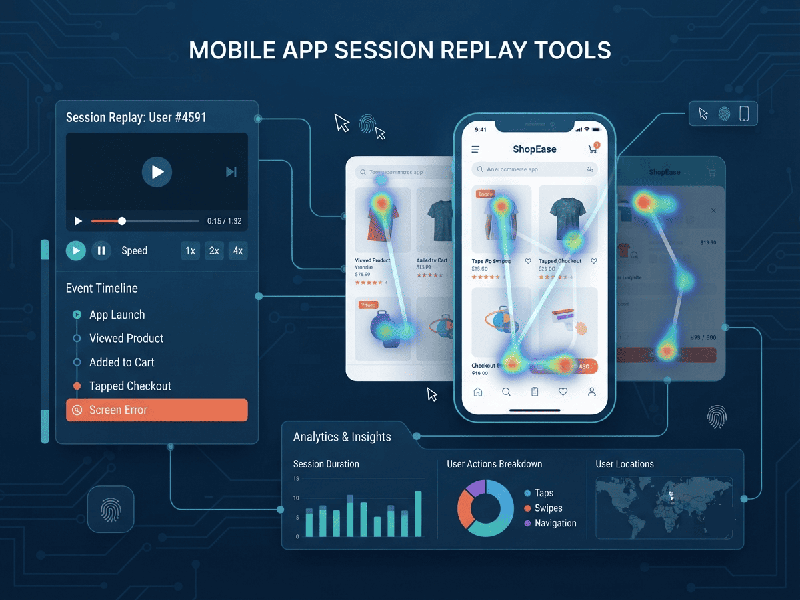
Mobile App Session Replay Tools are software solutions that record
and visually playback user interactions within a mobile application. Similar to
how a security camera records physical foot traffic, session replays capture
taps, swipes, pinches, scrolls, and screen transitions, allowing product
managers, UX designers, and developers to watch real user sessions to diagnose
usability issues and app crashes.
1. How Mobile Session Replays Differ from Web Replays
Recording a mobile app is technically much harder than
recording a website because apps are built with native code (iOS/Swift,
Android/Kotlin) or cross-platform frameworks (React Native, Flutter) rather
than standard HTML/CSS.
- Dom-less Recording: Instead of recording Document
Object Model (DOM) elements, mobile tools capture UI view hierarchies or
render visual vector/bitmap representations of the screen.
- Touch Interactivity: They map touch coordinates,
gestures, and device orientation changes rather than standard mouse hovers
and desktop clicks.
- Performance Overhead: Because mobile apps run on
devices with varying CPU, memory, and battery constraints, mobile replay
SDKs must be lightweight to avoid lagging or crashing the app.
2. Key Features to Look For
- Crash & Error Integration: The ability to jump straight
from a bug report, crash log, or API failure to the exact session replay
where the error occurred.
- Frustration Signals: Automated detection of user
rage taps, dead clicks, rapid swiping, or sudden app backgrounding.
- Data Privacy & Masking: Built-in masking capabilities
to automatically blur or block sensitive personal identifiable information
(PII), passwords, credit card numbers, and private input fields.
- Network & Performance
Monitoring:
Side-by-side timelines showing CPU usage, memory spikes, and network
requests alongside the visual user playback.
3. Top Mobile App Session Replay Tools
Several industry-leading tools specialize in mobile
app recording and product analytics:
- FullStory: Offers robust mobile session
replay alongside powerful conversion funnels, heatmaps, and automatic
frustration signal tracking for native iOS and Android apps.
- LogRocket: Combines mobile session replays
with deep technical logging (network requests, Redux actions, and mobile
console logs) to bridge the gap between UX and engineering.
- Smartlook: Known for its lightweight SDK
and easy integration across native platforms as well as cross-platform
frameworks like Flutter and React Native, offering user recordings and
event analytics.
- Mixpanel (Session Replay): Integrates product analytics
data directly with session replays, allowing teams to filter and watch
recordings of users who dropped off at a specific funnel step.
- PostHog: An open-source product OS that
provides mobile session recordings, feature flags, and product analytics
in a single unified developer platform.
4. Key Benefits of Using Mobile Session Replays
- See the "Why" Behind
the Data:
Analytics tools tell you where users are dropping off (e.g.,
checkout page), but session replays show you why they left (e.g., a
broken button or confusing UI layout).
- Faster Bug Resolution: Developers no longer need to
rely on vague user descriptions ("the app froze") or try to
reproduce complex steps manually; they can watch the exact playback.
- Optimized Onboarding & UX: Observing real user friction
points helps refine navigation pathways, reduce app churn, and improve
overall app store ratings.