Mobile App Gesture Design
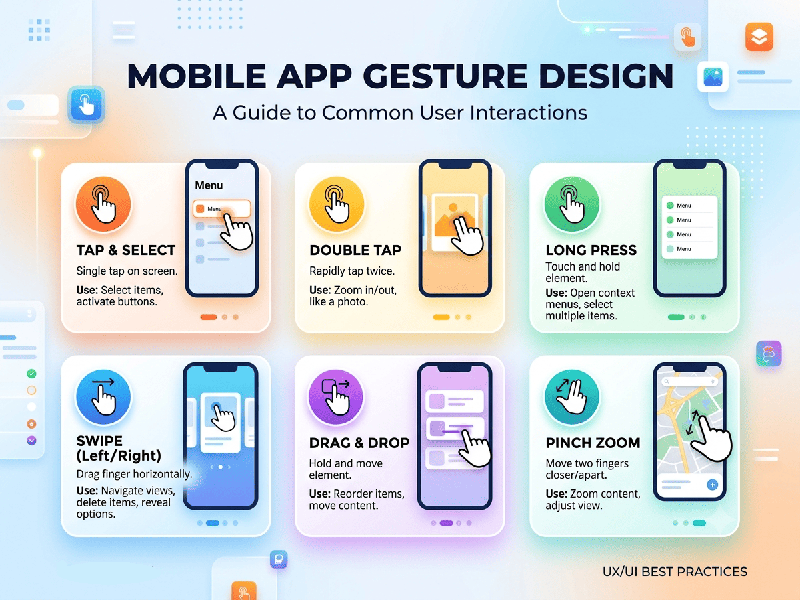
Mobile app gestures replace or
complement traditional UI controls by using natural touch interactions—swiping,
pinching, tapping, and dragging—to make applications faster, cleaner, and more
intuitive.
1. Key UX Principles for Gesture
Design
·
Discoverability & Affordance: Unlike buttons, gestures are invisible by default. Use
visual cues (e.g., subtle card stacks, bouncing elements, or animated
onboarding micro-interactions) to signpost hidden interactions.
·
Real-time Visual & Haptic Feedback: Physical touch needs immediate confirmation. Pair
touch inputs with direct manipulation animations (e.g., UI elements tracking
the finger precisely) and subtle haptic feedback.
·
Reversibility & Safety: Ensure destructive swipe actions (such as deleting items or
canceling workflows) can be undone via non-modal snackbars ("Undo")
or require confirmation thresholds.
·
Ergonomics ("The Thumb Zone"): Place frequent gesture targets
within natural thumb reach. Avoid forcing multi-finger gestures on actions
performed while walking or holding devices one-handed.
2. Implementation Workflow
1.
Define Primary vs. Secondary Actions: Map critical user journeys to explicit UI controls
(buttons, navigation bars) and secondary/shortcut actions to gestures.
2.
Establish Thresholds: Implement precise drag tolerances and swipe velocity thresholds so
accidental micro-swipes don't trigger unwanted navigation changes.
3.
Provide Fallbacks: Always retain accessible, tap-based visual alternatives for every
gesture-driven shortcut to support accessibility standards and diverse user
preferences.