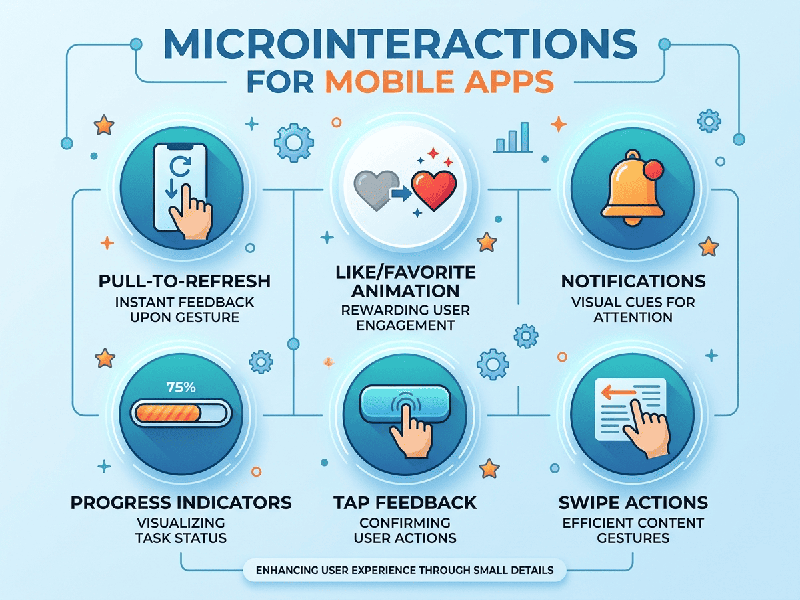
Microinteractions for Mobile Apps
Microinteractions are the subtle, functional, and delightful moments in a
mobile app that occur when a user performs a single task. They provide
immediate feedback, guide the user through the interface, and make the app feel
"alive."
The Four Essential Elements
To implement effective microinteractions, ensure every
interaction includes:
1.
Trigger: The
action that starts it (e.g., a tap, a swipe, a pull-down).
2.
Rules: How the
interaction is carried out (e.g., the speed of the animation or the transition
effect).
3.
Feedback: The
visual, haptic, or auditory signal confirming the action occurred.
4. Loops & Modes: How the interaction changes over time (e.g., a toggle button changing from grey to blue).
Best Practices for Mobile Design
1. Keep it Subtle and Fast
Microinteractions should be invisible to the user's conscious
mind. If they take too long, they become an annoyance rather than a feature.
- Duration: Most animations should last
between 200ms and 500ms.
- Easing: Use standard easing curves
(like ease-in-out) to make movements feel natural, not robotic.
2. Prioritize "Contextual Awareness"
Ensure the interaction makes sense for the user’s
environment.
- Haptic Feedback: Use gentle vibrations for
successful transactions but avoid overusing them for minor UI changes.
- Audio: Keep sound effects rare. Use
them only for high-value actions (e.g., a "cha-ching" sound for
a completed purchase).
3. Make Them Purposeful
Never add a microinteraction just for the sake of
"coolness." Every motion should serve one of three roles:
- Clarification: Helping the user understand a
change (e.g., a menu expanding).
- Acknowledgment: Telling the user their action
was registered (e.g., a checkmark appearing).
- Delight: Creating a "wow"
moment that builds brand personality (e.g., a playful animation after
achieving a goal).
When to Use (and When to Avoid)
Use them to:
- Confirm a state change (e.g.,
toggling "Dark Mode").
- Explain hierarchy (e.g., showing
where an item went when archived).
- Encourage engagement (e.g.,
celebrating a completed task).
Avoid them when:
- They distract from critical
tasks.
- They slow down the user's flow.
- They are inconsistent across the
app (don't animate a button differently on every screen).
Technical Implementation Tip
For developers, focus on declarative animation libraries
rather than hard-coding frames.
- iOS: Use SwiftUI animations
or Lottie for complex vector sequences.
- Android: Use Jetpack Compose
animations or MotionLayout.
- Cross-Platform: Framer Motion or Lottie
are the industry standards for fluid, lightweight mobile interactions.