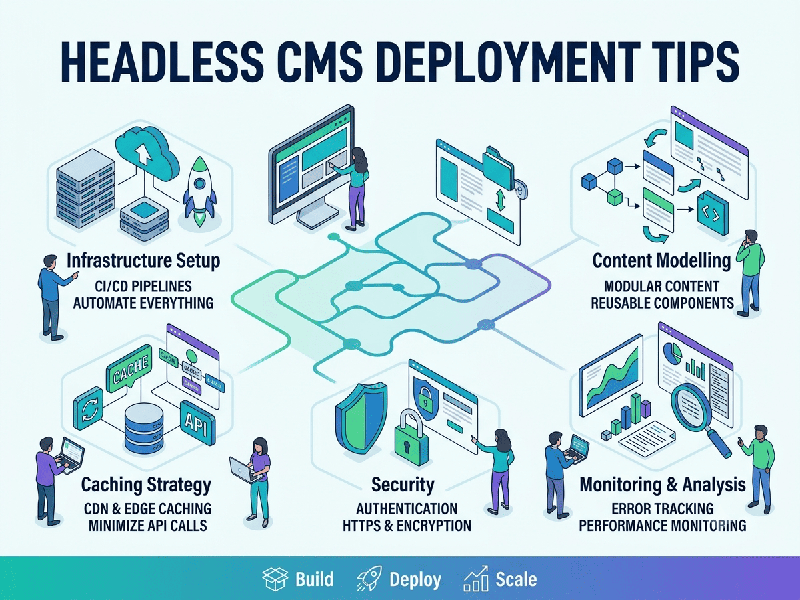
Headless CMS Deployment Tips
Deploying a headless CMS requires a shift in mindset:
you are not deploying a "website," but a decoupled architecture
consisting of an API-first backend (the CMS) and a performance-optimized
frontend.
To ensure your deployment is scalable, secure, and
developer-friendly in 2026, follow these core deployment essentials.
1. Architecture & Performance
- Decouple Infrastructure: Keep your CMS backend and your
frontend application on separate hosting environments. This limits the
blast radius of a security incident and allows you to scale them
independently.
- Leverage the Edge: Your frontend should be
deployed to a global CDN (e.g., Vercel, Netlify, Cloudflare). Use Static
Site Generation (SSG) for evergreen content to ensure sub-100ms load
times, and Server-Side Rendering (SSR) or Incremental Static
Regeneration (ISR) for dynamic, frequently changing pages.
- Cache Strategy: Implement aggressive caching at
the CDN level. Use webhooks to trigger automatic rebuilds or cache purges
in your frontend whenever content is updated in the CMS, ensuring your
users always see the latest version without compromising speed.
2. API Security
- Zero-Trust Access: Your CMS API should never be
wide open to the public internet. Use API keys, bearer tokens (JWT), or
OAuth 2.0 to authenticate requests.
- Rate Limiting: Protect your CMS from DDoS
attacks and scraping by implementing strict rate limiting on your API
endpoints.
- Query Complexity (For GraphQL): If using GraphQL, disable
introspection in production and implement depth-limiting or cost analysis
to prevent malicious actors from crafting "denial-of-service"
queries that crash your backend.
- Input Validation: Always validate and sanitize
data at the API gateway or application layer before it hits your database,
regardless of how "safe" you think your CMS input fields are.
3. Editorial Experience (The "Hidden"
Pillar)
- Robust Preview Environments: The biggest hurdle in headless
deployment is content previewing. Build a dedicated, secure preview
environment where editors can see live content updates in the context of
the actual frontend design before hitting "publish."
- Role-Based Access Control
(RBAC): Define
granular roles early. Don’t give a junior copywriter the same permissions
as a systems administrator.
- Content Modeling: Invest time in a flexible
content model. Hard-coding layouts into your CMS data structure will lock
you into a specific design and hinder future frontend migrations.
4. Security Hardening
- Data Protection: Ensure data is encrypted both at
rest (AES-256 for databases/backups) and in transit (TLS 1.3
for all communications).
- Environment Isolation: Use distinct environments for Development,
Staging, and Production. Never connect your production
frontend to a development CMS database.
Audit Logging: Enable comprehensive logging for all administrative actions, API calls, and authentication events. This is non-negotiable for compliance (SOC 2, GDPR) and critical for incident response.