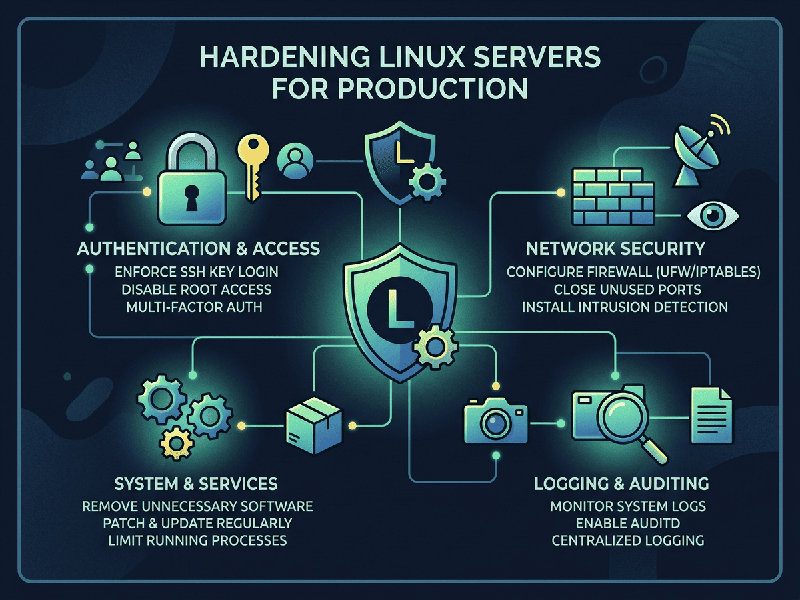
Hardening Linux Servers for Production
Hardening a Linux server is a critical process aimed at
reducing the system's "attack surface"—the total number of points
where an unauthorized user can try to enter or extract data.
To effectively secure a production Linux environment, you
should focus on a multi-layered "defense-in-depth" approach.
1. Minimalist Foundation
- Install Only What You Need: A lean system has fewer
vulnerabilities. Avoid installing unnecessary packages, GUI components, or
developer tools on production servers.
- Remove Unused Services: Scan for running services using
systemctl list-units --type=service or ss -tulpn and disable or remove any
that are not required for your workload.
2. Access Control & Authentication
- Disable Root SSH Login: Never allow direct root login
via SSH. Edit /etc/ssh/sshd_config and set PermitRootLogin no.
- Use SSH Keys Only: Disable password-based
authentication (PasswordAuthentication no in sshd_config) and enforce the
use of strong SSH key pairs (e.g., Ed25519).
- Principle of Least Privilege: Provide users with the absolute
minimum access required. Use sudo for administrative tasks rather than
logging in as root.
3. Network & Firewall
- Implement a Default-Deny Policy: Use a firewall (like ufw,
firewalld, or nftables) to block all incoming traffic by default, only
explicitly opening the ports (e.g., 80, 443) required for your services.
- Close Unnecessary Ports: Regularly audit open ports to
ensure no unexpected services are listening.
4. System Integrity & Monitoring
- Keep Software Patched: Automate security updates to
ensure the kernel and applications are patched against known
vulnerabilities.
- Enable Mandatory Access Control
(MAC): Utilize
security modules like SELinux (on RHEL/CentOS/Fedora) or AppArmor
(on Ubuntu/Debian) to confine processes and limit the damage if a service
is compromised.
- Centralized Logging: Forward system and application
logs to a secure, remote, or centralized logging server (SIEM) so that an
attacker cannot delete their tracks by modifying local logs.
5. Physical & Low-Level Security
- Secure the Boot Process: Set a BIOS/UEFI password to
prevent unauthorized changes to the boot order and use a GRUB password to
prevent attackers from editing boot parameters to gain root access.
- Partitioning: Use separate partitions for
directories like /boot, /home, and /tmp to prevent one partition from
filling up and potentially crashing the system.