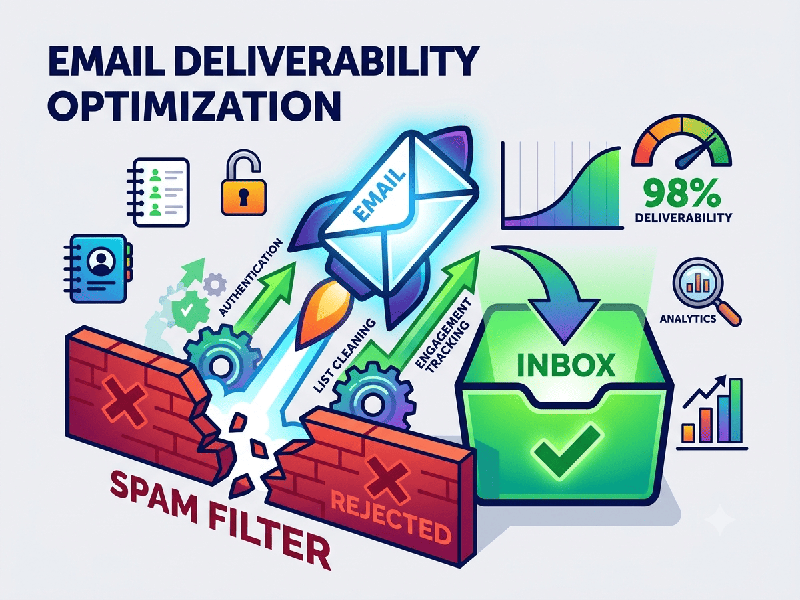
Email Deliverability Optimization
Email deliverability optimization is the ongoing
process of ensuring your campaigns reach subscribers' inboxes rather than being
routed to the spam folder or blocked entirely by Internet Service Providers
(ISPs). Achieving high deliverability requires balancing technical
infrastructure, sender reputation, and subscriber engagement.
1. Technical Authentication
ISPs use authentication protocols to verify your
identity and protect users from phishing. Without these records configured in
your DNS settings, your emails are highly likely to be flagged as spam.
- SPF (Sender Policy Framework): A DNS record listing the
specific IP addresses and servers authorized to send emails on behalf of
your domain.
- DKIM (DomainKeys Identified
Mail): Adds a
cryptographic signature to your emails, proving to the receiving server
that the email was genuinely sent by you and hasn't been altered in
transit.
- DMARC (Domain-based Message
Authentication, Reporting, and Conformance): Ties SPF and DKIM together. It
instructs receiving servers on what to do if an email fails authentication
(e.g., do nothing, quarantine it to spam, or reject it entirely) and sends
you reports on these failures.
2. Sender Reputation and Infrastructure
Your sender reputation is a score assigned by ISPs
based on your sending habits. A poor reputation is the primary reason emails
bounce or land in spam.
- Warm Up New Domains/IPs: Never send high volumes of
email from a new IP or domain immediately. Gradually increase your sending
volume over 4–8 weeks to build trust with ISPs.
- Maintain Consistent Volumes: ISPs view erratic sending
patterns (e.g., sending 0 emails for a month, then 50,000 in one day) as
suspicious behavior typical of spammers.
- Separate Sending Domains: Use subdomains or different
domains for distinct types of mail. Keep transactional emails (receipts,
password resets) separate from marketing blasts so that a marketing
penalty doesn’t block critical customer updates.
3. List Hygiene and Audience Management
Sending emails to invalid addresses or people who
don't want them damages your sender score rapidly.
- Implement Double Opt-In: Require users to click a
confirmation link sent to their email after subscribing. This guarantees
the email address is valid and belongs to an engaged user.
- Scrub Hard Bounces Immediately: A hard bounce means the email
address does not exist. Remove these instantly. Repeatedly hitting invalid
addresses is a major red flag for ISPs.
- Sunset Inactive Subscribers: Identify users who haven’t
opened or clicked an email in 3–6 months. Run a re-engagement campaign,
and if they still don't interact, remove them from your active sending
list.
- Make Unsubscribing Easy: Place a clear, single-click
unsubscribe link in your footer. If users can't find the unsubscribe
button, they will click the "Mark as Spam" button instead, which
severely harms your reputation.
4. Content and Engagement Optimization
ISPs analyze how users interact with your emails and
scan the content itself to determine inbox placement.
- Avoid Spam Triggers: Minimize the use of ALL CAPS,
excessive exclamation marks, and aggressive sales language ("Buy
Now!!!", "100% Free", "Earn Cash").
- Balance Text-to-Image Ratio: Emails consisting of a single
large image are often flagged as spam because text-scanning filters cannot
read them. Aim for an 80/20 or 60/40 text-to-image ratio.
- Optimize for Mobile: Over half of all emails are
opened on mobile devices. If an email is unresponsive and difficult to
read, users will delete it or mark it as spam without engaging.
Monitor Spam Complaint Rates: Keep your spam complaint rate below 0.1% (1 complaint per 1,000 emails). Exceeding this threshold will trigger algorithmic filtering by major providers like Gmail and Yahoo.