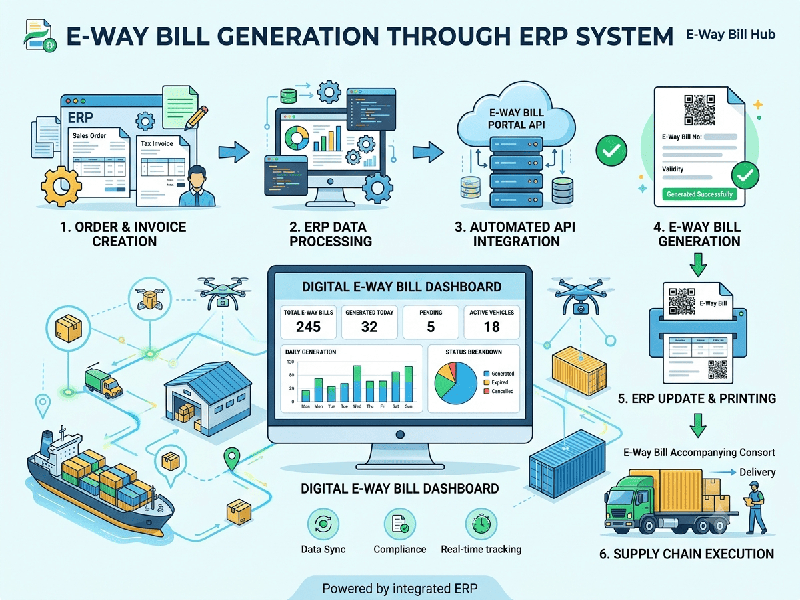
E-Way Bill Generation Through ERP
Generating E-Way Bills (EWB) directly through your
Enterprise Resource Planning (ERP) system connects your shipping operations
directly to the government’s National Informatics Centre (NIC) portal. Instead
of logging into the GST E-Way Bill portal to copy-paste invoice details
manually, your ERP sends transaction data automatically via GSP/ASP APIs and
fetches the generated E-Way Bill number in seconds.
1. Prerequisites for ERP E-Way Bill Integration
Before generating E-Way Bills directly from your ERP
system, ensure the following setups are complete:
GSTIN Registration: Active GST registration on the official E-Way Bill
Portal (ewaybillgst.gov.in).
API Credentials: Registered user credentials created under the GSP
(GST Suvidha Provider) or direct API integration tab on the E-Way Bill
portal.
Master Data Accuracy: Validated customer GSTINs, 4-to-8
digit HSN codes, and registered warehouse PIN codes entered in your ERP master
data.
Transporter Master: Saved profiles for regular transporters containing
their Transporter ID (TRANS ID) or vehicle registration numbers.
Step 1: Create the Source Document
Create a standard Tax Invoice, Delivery Challan, or
Bill of Supply within your ERP. The system auto-populates transaction details,
item descriptions, HSN codes, taxable values, and tax splits (CGST/SGST/IGST).
Step 2: Enter Transportation Details (Part B
Information)
In the E-Way Bill panel of your invoice screen, enter
the required movement parameters:
Mode of Transport: Road, Rail, Air, or Ship.
Transporter ID: 15-digit GSTIN/TRANS ID (if handing over to a third-party
courier/transporter).
Vehicle Number: Vehicle registration number (if transporting using your own
fleet).
Pincode to Pincode Distance: Estimated distance in kilometers
(your ERP can auto-calculate distance using NIC distance APIs).
Step 3: Trigger One-Click API Generation
Click the "Generate E-Way Bill"
button on your document screen.
The ERP formats the invoice into a
government-compliant JSON schema.
The system sends the data securely to the E-Way Bill
IRP/NIC system via API.
Step 4: Instant Print & Master Update
Within 1–3 seconds, the NIC portal validates the
schema and returns:
E-Way Bill Number (EWB No.)
EWB Validity Period (calculated based on distance)
Printable QR Code
The ERP embeds the EWB number and QR code directly
onto the invoice print layout, allowing gate staff to print the invoice and
vehicle transit slip instantly.