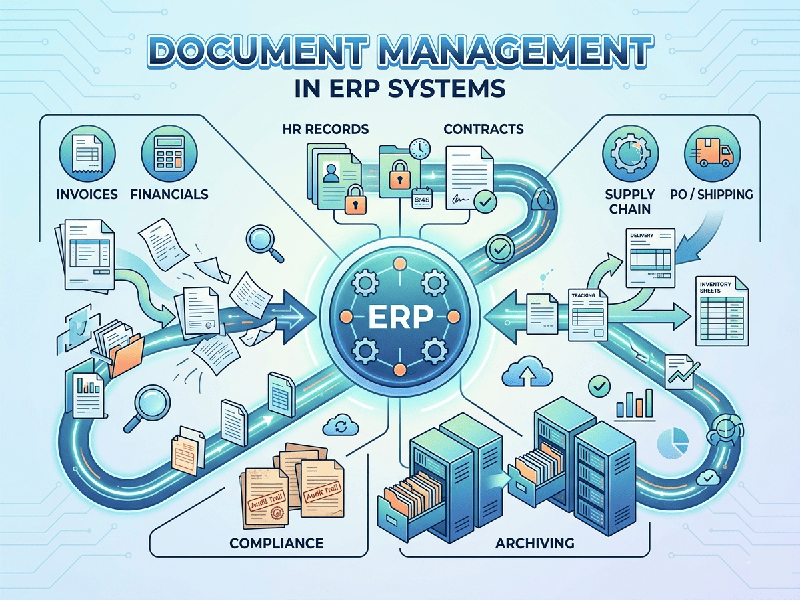
Document Management in ERP Systems
In an Enterprise Resource Planning (ERP) system, Document
Management (DM) bridges the gap between structured enterprise data (like a
purchase order or a customer record) and unstructured content (like physical
invoices, PDFs, signed contracts, or product blueprints).
Instead of scattering files across local desktops, email
threads, and shared network drives, an integrated ERP Document Management
system attaches files directly to the relevant business transactions.
1. Core Functions of Document Management in ERP
An effective ERP document system handles four primary jobs:
- Centralized Storage &
Mapping: Every
document is stored securely in a central repository but linked directly to
its specific ERP transaction (e.g., a shipping manifest is automatically
attached to the specific Sales Order and Invoice).
- Version Control &
Check-In/Check-Out: Prevents data overwrites. If an engineer updates a product
schematic, the system tracks who changed it, when, and keeps older
versions for audit trails.
- Automated Data Capture (OCR): Modern ERPs use Optical
Character Recognition (OCR) to read incoming physical documents (like a
supplier invoice), automatically extract fields like total cost or tax,
and pre-populate the ERP financial screen.
- Access Control & Compliance: Restricts viewing permissions based on ERP user roles. A warehouse worker can see shipping labels, but only HR and finance can view payroll-related documents.
2. Architecture: Integrated vs. Standalone DMS
When implementing document management, enterprises generally
choose between two architectural approaches:
Native ERP Document Modules
The Document Management System (DMS) is built right into the
ERP platform (e.g., SAP Document Management, Oracle NetSuite File Cabinet, or
Microsoft Dynamics 365 SharePoint integration).
- Pros: Seamless user experience; zero
integration lag; strict data consistency.
- Cons: Can quickly bloat the ERP
database, increasing cloud storage or backup costs; weaker advanced
editing features.
Hybrid (Best-of-Breed Integration)
Connecting a heavyweight, standalone DMS (like OpenText, Box,
or DocuSign) to the ERP via APIs.
- Pros: Advanced records management,
superior collaboration tools, and e-signature workflows.
- Cons: Higher licensing costs, complex
API maintenance, and potential sync delays between the two systems.