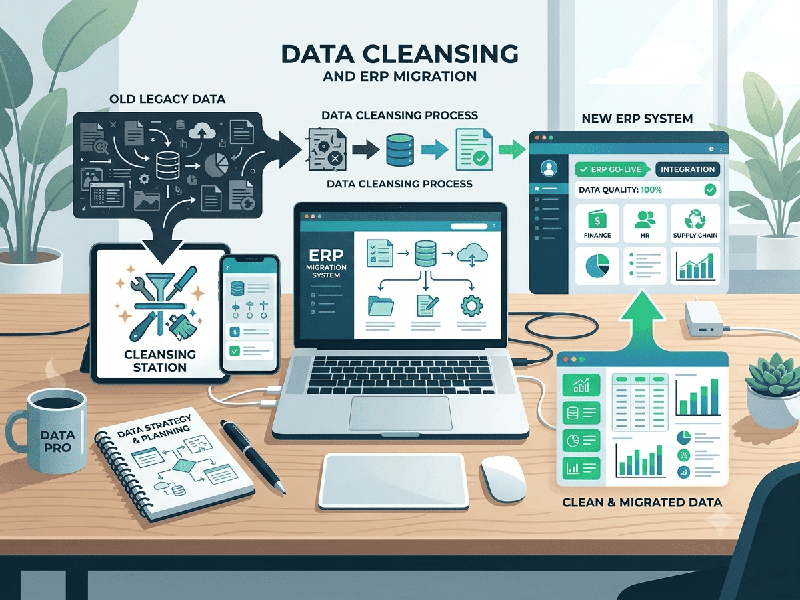
Data Cleansing Before ERP Migration: A Practical Checklist
Data cleansing is one of the most critical steps in
any ERP migration (such as moving from legacy systems to Dynamics 365 Business
Central or SAP). Migrating corrupt, duplicated, or outdated data leads to
post-launch system crashes, inaccurate financial reporting, and user
frustration.
1. Define Data Retention Policies
Set Archiving Thresholds: Decide how many years of historical
transactions to bring over. A common standard is 2–3 years of detailed
history and summarizing older data as opening balances.
Identify Read-Only Storage: Archive legacy data in an accessible
database or data warehouse for audit compliance instead of polluting the new
ERP.
2. Establish Data Ownership
Assign specific department leads (Finance, Sales,
Supply Chain) responsible for reviewing, cleaning, and signing off on their
respective data domain.
Phase 2: Master Data Cleansing
3. Customer & Vendor Master Data
Remove Duplicates: Merge duplicate accounts using unique identifiers
like Tax IDs, Registration Numbers, or email domains.
Validate Contact Info: Verify primary email addresses,
billing/shipping addresses, and phone numbers.
Standardize Formats: Uniformly format phone numbers, ISO country codes,
and payment terms across all records.
Inactivate Inactive Accounts: Flag and omit customers or vendors
with no sales/purchases in the last 24–36 months.
4. Item Master & Inventory
Standardize SKU Descriptions: Establish a standard naming
convention for item descriptions to ensure consistent searchability.
Rationalize Units of Measure (UOM): Align base units of measure (e.g.,
PCS, BOX, PALLET) across all items.
Scrap Obsolete Items: Deactivate items that are
discontinued or have zero stock and no activity for multiple years.
Reconcile Quantities: Perform a physical cycle count to
ensure real-world stock levels match sub-ledger quantities prior to final
migration.
5. Finance & Chart of Accounts (COA)
Map Chart of Accounts: Map legacy COA accounts to the new
ERP structure (especially if moving to dimension-based accounting).
Clear Old Bank Statements: Reconcile all outstanding bank
reconciliation items and clear uncleared checks or pending deposits.
Phase 3: Transactional Data & Open Balances
6. Purge Closed Transactions
Exclude fully settled historical Sales Orders,
Purchase Orders, and Paid Invoices from the live migration scope.
7. Cleanse Open Transactions
Accounts Receivable (AR): Write off uncollectible bad debts,
clear tiny penny-rounding balances, and resolve unapplied payments/credits.
Accounts Payable (AP): Resolve outstanding vendor disputes,
process pending credit memos, and pay due invoices.
Purchase Orders & Sales Orders: Cancel aged, unfulfilled purchase
orders and open quotes that are no longer valid.
Phase 4: Validation & Pre-Migration Dry Run
8. Formatting & Technical Validation
Ensure field lengths, special characters, and required
fields conform strictly to the target ERP's database schema.
Remove non-standard control characters (e.g., carriage
returns, tabs, hidden ASCII symbols) from text fields.
9. Conduct Sandbox Mock Migrations
Import cleansed datasets into an ERP sandbox
environment.
Perform financial reconciliation (comparing trial
balances, open AR/AP totals, and inventory values between legacy and target
systems).