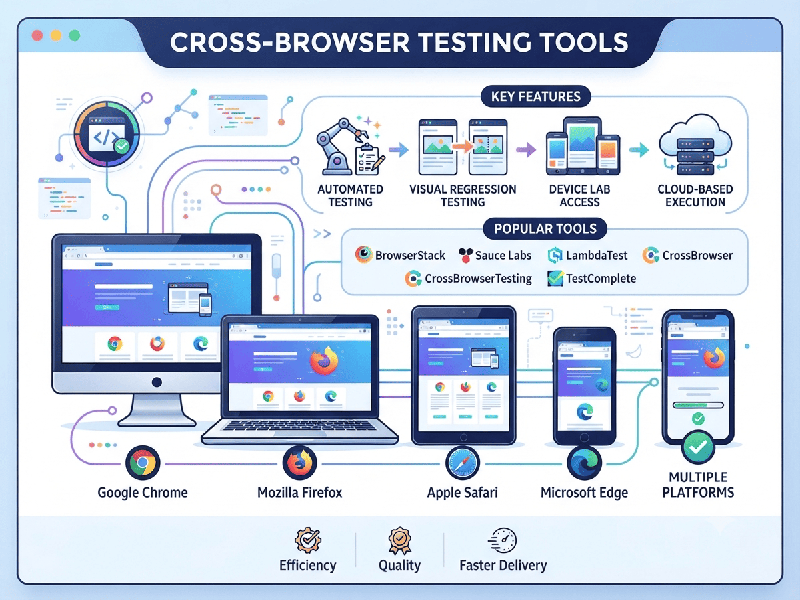
Cross-Browser Testing Tools
Cross-browser testing tools help ensure your web application functions consistently and looks correct across different browsers (Chrome, Firefox, Safari, Edge), operating systems, and device screen sizes.
In 2026, these tools generally fall into two
categories: Cloud-based testing platforms (which provide infrastructure)
and Automation frameworks (which provide the logic for your tests).
1. Leading Cloud-Based Testing Platforms
These platforms are designed to solve the
"infrastructure problem" by giving you instant access to thousands of
real browsers and physical mobile devices in the cloud.
2. Popular Automation Frameworks
These are the underlying technologies used to write
your tests. Most cloud platforms (like those listed above) support these
frameworks natively.
- Selenium: The industry standard for
open-source automation. It is highly flexible and supports almost every
programming language but requires more setup and maintenance.
- Playwright: Increasingly popular for modern
web apps. It is fast, reliable, and natively supports modern rendering
engines (Chromium, WebKit, and Firefox).
- Cypress: A developer-favorite for
frontend teams. It excels at local debugging and provides a very fast
feedback loop during the development phase.
3. Specialized & AI-Driven Tools
If your goal is to reduce maintenance or involve
non-technical team members, these tools are highly effective:
- Visual Testing: Applitools Eyes and Percy
(by BrowserStack) use AI to detect subtle visual rendering differences
(UI bugs) that traditional functional tests might miss.
- AI/No-Code Testing:
o Testim and Functionize offer
AI-driven "self-healing" tests that automatically adapt to minor UI
changes, reducing test flakiness.
o Virtuoso QA and QA Wolf allow for natural
language or codeless test authoring, which is great for teams looking to
include QA engineers who do not specialize in programming.
How to choose the right tool?
- If you need a "set it and
forget it" infrastructure: Go with BrowserStack or LambdaTest. They
manage the devices and browsers for you.
- If your team has strong coding
skills: Stick
with Playwright or Selenium for maximum control and zero
licensing costs.
- If you are struggling with
"flaky" tests: Look into AI-driven tools like Testim or Applitools,
which are specifically designed to reduce the time spent fixing broken
test scripts.