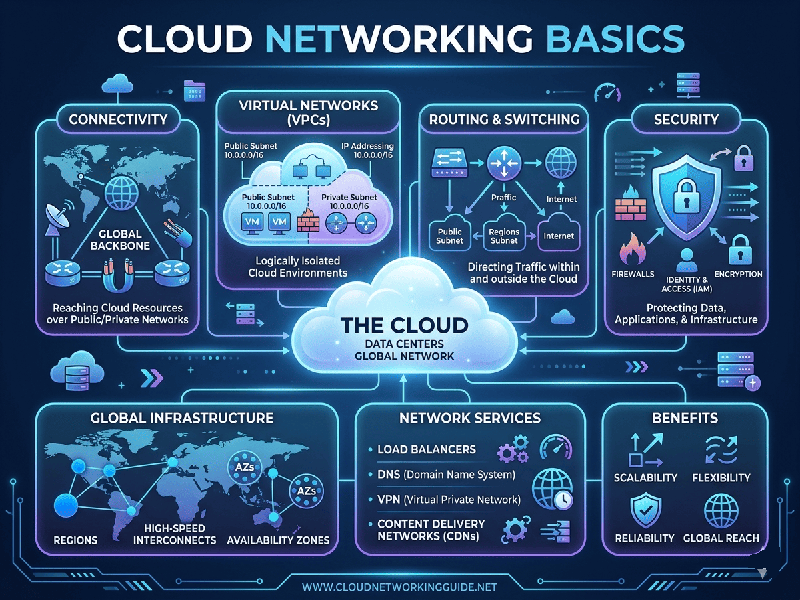
Cloud Networking Basics
Cloud networking is the infrastructure that allows computers,
servers, and applications to communicate across the internet or within a cloud
provider’s ecosystem. It shifts traditional physical hardware (routers,
switches, firewalls) into Software-Defined Networking (SDN).
1. Core Concepts of Cloud Networking
To understand how data moves in the cloud, you must grasp
these four foundational pillars:
Virtual Private Cloud (VPC) / Virtual Network (VNet)
Think of a VPC as your own private, isolated section of a
public cloud provider (like AWS, GCP, or Azure). You define the IP address
range, create subnets, and configure route tables.
- Public Subnet: Accessible from the internet
(e.g., for a web server).
- Private Subnet: Hidden from the internet (e.g.,
for a database).
Connectivity Models
How do you connect your office to the cloud?
- Internet Gateway: The "door" that
allows your VPC to talk to the public internet.
- VPN (Virtual Private Network): An encrypted tunnel over the
public internet.
- Direct Connect / ExpressRoute: A dedicated, private physical
connection between your data center and the cloud provider (bypassing the
public internet entirely).
Load Balancing
Cloud networks use Load Balancers to distribute
incoming traffic across multiple servers. This ensures that no single server is
overwhelmed, providing high availability and fault tolerance.
2. Security and Traffic Control
Security in cloud networking is "layered." It isn't
just a perimeter fence; it's security at every door.
- Security Groups (SGs): These act as virtual firewalls
for your instances (servers). They are "stateful,"
meaning if you allow an incoming request, the response is automatically
allowed.
- Network Access Control Lists
(NACLs): These
act as firewalls for the subnet. They are "stateless" and
provide an extra layer of defense by controlling traffic entering or
exiting the entire subnet.
- DNS (Domain Name System): Services like Route 53 or Azure
DNS translate human-friendly names the IP addresses used by cloud
resources.