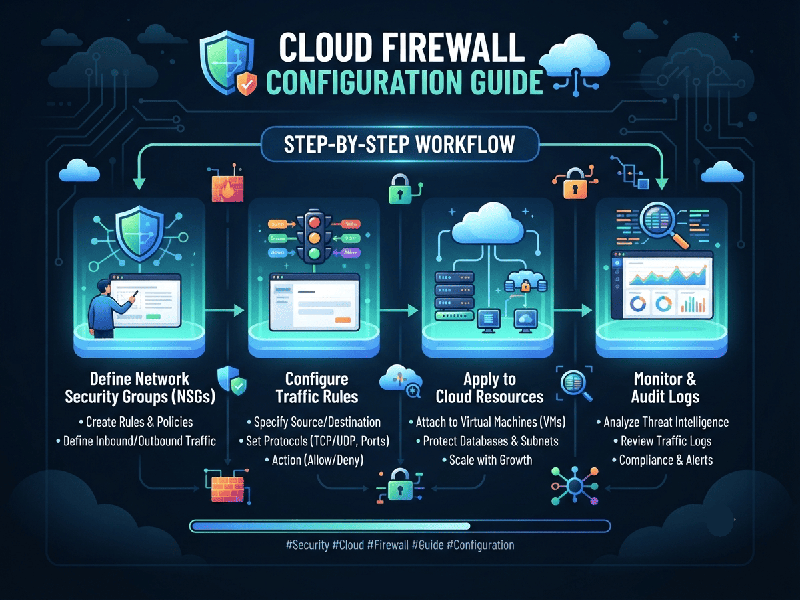
Cloud Firewall Configuration Guide
A cloud firewall (often implemented as Cloud
Next-Generation Firewalls (NGFW), Security Groups, or Cloud
Provider Network Firewalls like AWS Network Firewall, Azure Firewall, or
Google Cloud Firewall) is a managed network security service that protects
cloud workloads from unauthorized access, malicious traffic, and lateral
movement.
Proper configuration ensures strong perimeter and
internal segmentation defense while minimizing operational downtime.
1. Core Concepts & Terminology
Before configuring a cloud firewall, understand the
components that govern traffic flow:
- Stateful Inspection: Modern cloud firewalls track
the state of active connections. If outbound traffic is allowed, the
corresponding return traffic is automatically permitted without needing a
separate inbound rule.
- Security Groups
(Micro-segmentation): Virtual firewalls applied directly to a specific instance or
resource (e.g., an EC2 instance or virtual machine) acting as a network
interface-level shield.
- Network Firewalls / Perimeter
Firewalls:
Stateful, centralized appliances or services applied at the Virtual
Private Cloud (VPC) or subnet boundary to inspect traffic entering, leaving,
or moving across subnets.
- Implicit Deny: The foundational security rule
of cloud firewalls—all traffic that is not explicitly allowed is
automatically blocked.
2. Step-by-Step Configuration Workflow
Step 1: Define Traffic Segregation (Network
Architecture)
Before writing rules, segment your cloud network into
logical tiers:
- Public Tier: Load balancers, public-facing
web servers.
- Private / Application Tier: Internal microservices,
application logic servers.
- Data Tier: Databases, caching layers,
backend storage.
- Management Tier: Bastion hosts, VPN gateways,
administrative access tools.
Step 2: Establish Least-Privilege Inbound Rules
Restrict incoming traffic to absolute necessities. Never expose administrative ports globally.
Step 3: Configure Outbound (Egress) Filtering
Many teams leave outbound rules wide open (Allow All
outbound), which creates a critical risk if a workload is compromised (allowing
data exfiltration or malware downloading).
- Restrict Database Egress: Databases should generally have
zero outbound internet access. They only need to respond to the
application tier.
- Whitelist External APIs: If an application requires
communication with a third-party API, restrict the egress destination to
that specific IP or fully qualified domain name (FQDN) rather than
0.0.0.0/0.
Step 4: Implement Logging and Monitoring
A firewall rule is only as good as its visibility.
- Enable flow logs (e.g.,
VPC Flow Logs) to capture accepted and rejected traffic metadata.
- Integrate logs with a SIEM or
Cloud Security Posture Management (CSPM) tool to detect anomalies, such as
brute-force spikes on SSH ports or unexpected outbound data transfers.
4. Best Practices for Production Environments
1.
Avoid Overly Broad CIDR Blocks: Instead of using broad ranges like 10.0.0.0/16, scope rules
down to exact IP subnets or specific security group references.
2.
Use Security Group Referencing: Whenever possible, point rules to other security groups
rather than hardcoded IP addresses (e.g., "Allow inbound traffic to
Database SG from Application SG"). This scales dynamically as
instances scale up or down.
3.
Regular Auditing: Periodically review firewall rules using automated tools to flag stale
rules, overly permissive entries (0.0.0.0/0 on sensitive ports), or unused
security groups.
4.
Test with Packet Capture / Reachability Tools: Utilize cloud-native diagnostic
tools (like AWS Reachability Analyzer or Azure Network Watcher) to verify path
connectivity and rule enforcement without trial-and-error in production.