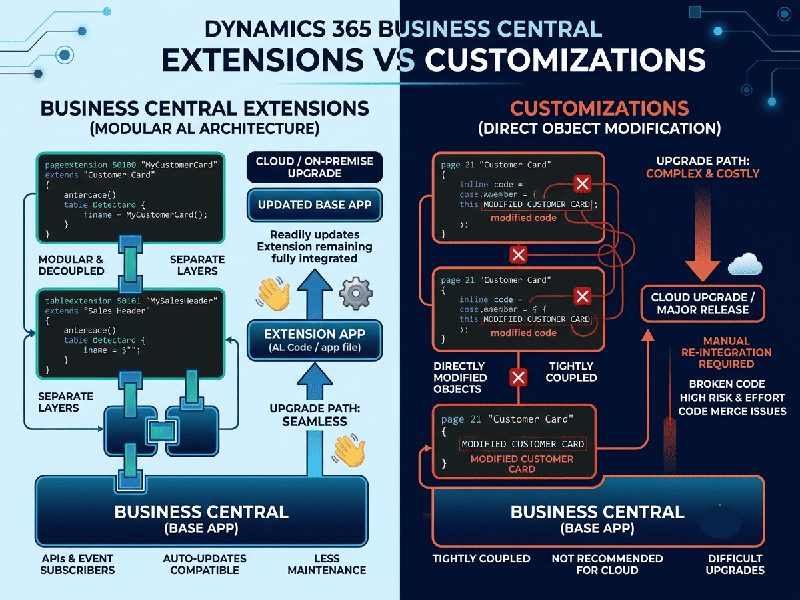
Business Central Extensions vs Customizations: What's Safer for Upgrades?
When comparing Microsoft Dynamics 365 Business Central
extensions versus traditional legacy customizations (modifications), extensions
are vastly safer for upgrades.
In older versions of Dynamics NAV, developers directly
edited the core application code (referred to as "base code
modifications"). Whenever a new update or cumulative update was released
by Microsoft, upgrading was a massive, expensive, and high-risk technical
nightmare because every core change had to be manually merged and re-tested.
Business Central eliminates this risk through a
modern, modular architecture.
Why Extensions Are Safer for Upgrades
1. Zero Modification to Core Code
Extensions (built using AL language) sit on top
of Microsoft’s standard application code as separate packages (.app files).
The Upgrade Benefit: When Microsoft rolls out major bi-annual updates or
monthly security patches, your base application code updates automatically and
cleanly. Your custom extension remains entirely untouched in its own container.
2. Event-Driven Architecture (No Source Code Merging)
In legacy systems, if two features touched the same
line of code, it caused a code conflict. Business Central uses an event-and-subscriber
model.
The Upgrade Benefit: Instead of rewriting core logic, your code
"subscribes" to standard system events (e.g., OnAfterInsertCustomer).
If Microsoft updates the underlying table or routine, your subscription hook
remains valid without breaking the core workflow.
3. Automated Compatibility Checks
Before Microsoft or your partner applies an upgrade
sandbox test, the system validates all installed extensions against the new
metadata schema.
The Upgrade Benefit: Potential compilation errors or breaking API changes
are flagged automatically before production deployment, allowing
developers to adjust the extension package ahead of time.