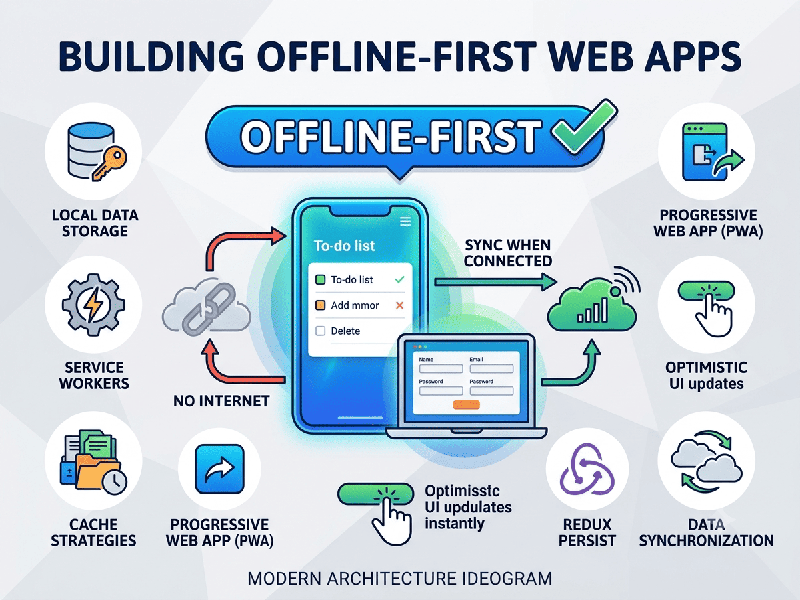
Building Offline-First Web Apps
Building an offline-first web application means
designing your app to be fully functional even when the user has no internet
connection. The application logic prioritizes local data access, syncing with
the server only when a connection becomes available.
1. Core Technical Pillars
To achieve an offline-first experience, you must
leverage three main browser technologies:
- Service Workers: A script that runs in the
background, separate from the main browser thread. It acts as a network
proxy, intercepting network requests to serve cached assets (HTML,
CSS, JS) instantly.
- Cache API: Allows you to store static
assets (the "App Shell") so the UI loads instantly even without
a network.
- IndexedDB: A low-level API for client-side
storage of significant amounts of structured data. Unlike localStorage, it
is asynchronous and powerful enough to hold your entire application state.
2. Implementation Workflow
Step 1: Cache the App Shell
Use a service worker to cache the core files of your
application. This ensures that the user interface is always available, even
offline.
Step 2: Implement a Persistent Data Store
Use IndexedDB as your primary source of truth.
Libraries like Dexie.js or idb act as wrappers that make IndexedDB significantly
easier to work with.
Step 3: Handle Network Connectivity
Use the navigator.onLine property and event listeners
(online and offline) to update the UI (e.g., show an "Offline Mode"
banner).
Step 4: Background Syncing
Use the Background Sync API to request that the
browser synchronize data in the background as soon as the internet returns.
3. Pro-Tips for Success
- Optimistic UI: Update the UI immediately after
a user action, assuming the server request will succeed. If it fails,
revert the change and notify the user.
- Data Minimization: Do not attempt to sync your
entire database to the client. Use a filtered approach to store only what
the specific user needs.
- Conflict Resolution is Key: If two users edit the same item
offline, you need a plan. Timestamping or using operational transformation
(OT) / CRDTs (Conflict-free Replicated Data Types) are common, robust
solutions.
- Testing: Use Chrome DevTools'
"Network" tab to toggle "Offline" mode to verify that
your service worker is intercepting requests and that your app handles the
absence of a network gracefully.
4. Recommended Tooling
- Workbox: A library by Google that
simplifies service worker creation and caching strategies.
- PouchDB / CouchDB: A classic combination for
offline-first apps; PouchDB lives in the browser and automatically syncs
with a CouchDB server when online.
- RxDB: A reactive NoSQL database that
works perfectly in the browser and handles replication automatically.