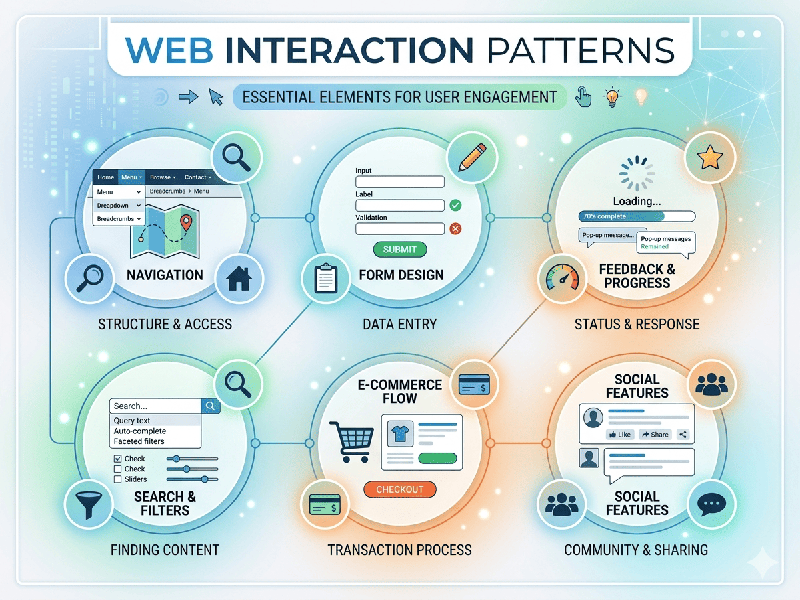
Web Interaction Patterns
Web interaction patterns are the
recurring solutions to common design problems that users encounter while
navigating the internet. In 2026, these have evolved from simple clicks to
highly responsive, "state-aware" behaviors that prioritize speed and
reduced cognitive load.
1. Structural Interaction Patterns
These define how a user moves through
a site and how the site responds to their presence.
- Continuous Scrolling &
Infinite Loading: Common in social feeds and e-commerce. As the user reaches the end
of a set of data, more content is fetched asynchronously without a full
page refresh.
- Skeleton Screens: Instead of showing a
"Loading..." spinner, the UI displays a gray-scale wireframe of
the layout. This creates a psychological sense of progress and speed.
- Progressive Disclosure: To avoid overwhelming users,
complex information is hidden behind "Show More" buttons or
hover states, revealing data only when the user needs it.
2. Input and Feedback Patterns
How users provide data and how the
interface acknowledges those actions.
- Inline Validation: Providing real-time feedback on
form fields (like a green checkmark for a valid email) as the user types,
rather than waiting for them to hit "Submit."
- Micro-interactions: Small, functional
animations—like a heart icon "bursting" when clicked or a
pull-to-refresh "bounce." These provide tactile satisfaction and
confirm the system has registered an action.
- Contextual Overlays (Modals
& Drawers):
Used for tasks that shouldn't pull the user away from their current page,
such as a quick login box or a side-cart in shopping.
3. Advanced Trends (2025–2026)
Interaction patterns are increasingly
moving toward Zero-UI and Predictive Design.
Intent-Based Navigation
Modern interfaces use AI to track
mouse-movements or dwell time. If a user hovers over a "Pricing"
link, the browser may pre-fetch that page’s data in the background, making the
eventual interaction feel instantaneous.
Voice and Gesture-Based Inputs
With the rise of spatial computing
and more advanced browser APIs, web patterns now include:
- Voice Search: Integrated directly into input
bars.
- Air Gestures: Scrolling or clicking without
touching the screen, common in high-end laptop and tablet browsing.