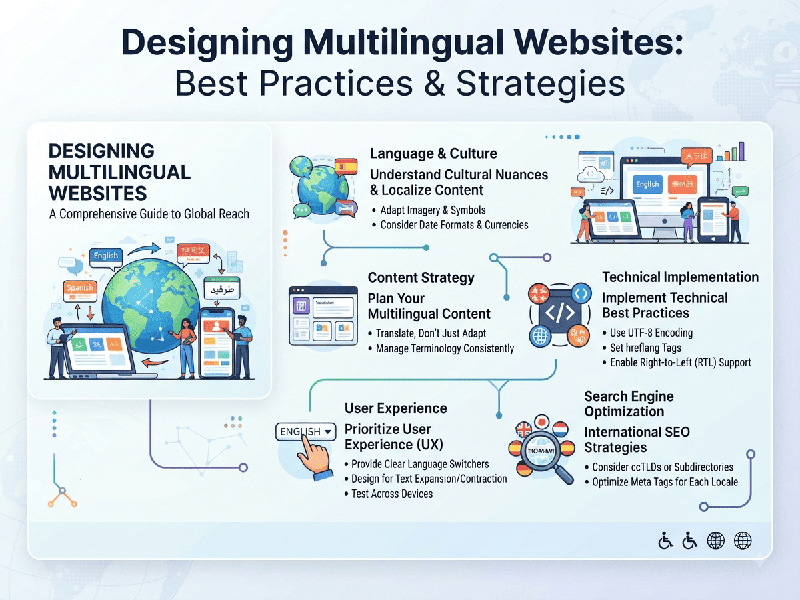
Designing Multilingual Websites
Designing Multilingual Websites involves building and optimizing
digital platforms to deliver seamless, culturally relevant experiences across
multiple languages, regions, and localization standards. It goes beyond mere
text translation, encompassing URL structure, UX/UI adaptations, technical
performance, and SEO.
1. Technical Architecture & URL Structure
The foundation of a strong multilingual site relies on
how search engines and browsers interpret language and regional targeting.
- URL Structure Best Practices:
o ccTLDs (Country Code Top-Level
Domains): e.g.,
example.in or example.fr. Best for: Strongest local trust and strict
regional targeting, but expensive and complex to maintain.
o Subdirectories: e.g.,
[example.com/hi/](https://example.com/hi/) or
[example.com/fr/](https://example.com/fr/). Best for: Most recommended
by SEO experts; shares domain authority and is easy to manage.
o Subdomains: e.g., hi.example.com or
fr.example.com. Best for: Large enterprise systems where regional sites
have entirely distinct tech stacks.
- Hreflang Tags
(rel="alternate"): Essential HTML headers or sitemap inclusions that tell
search engines which language version to serve to a user based on their
browser location or language preference.
- HTML Lang Attribute: Always define the primary
language in the root HTML tag (e.g., <html lang="hi">) to
ensure screen readers and search crawlers parse content accurately.
2. Localization vs. Translation
Translation is linguistic; localization is
cultural adaptation.
- Text Expansion &
Contraction:
Languages expand or shrink when translated. German or Russian text can
take up to 35% more space than English, while Chinese or Japanese can be
much more compact. Design flexible UI components (like buttons, cards, and
navigation bars) that can accommodate variable text lengths without
breaking the layout.
- Numerical, Date, and Currency
Formatting:
Ensure prices, numbers, and dates adapt to local conventions (e.g., ₹1,00,000
vs $100,000.00, or DD/MM/YYYY vs MM/DD/YYYY).
- Cultural Context: Imagery, color psychology, and
icons carry different meanings globally. For example, symbols or hand
gestures that are positive in one region may be offensive in another.
3. UI/UX Design Adaptations
- Directionality (RTL vs. LTR):
o Languages like Arabic, Hebrew, and
Urdu are read from Right-to-Left (RTL).
o Design fluid grid systems and CSS
logical properties (margin-inline-start, padding-inline-end) rather than fixed
left/right styling so the layout can mirror itself seamlessly.
- Typography & Font Rendering: Not all fonts support all
character sets (e.g., Cyrillic, Devanagari, or Hanzi). Use
Unicode-compliant web fonts (like Google Fonts with broad script support)
or implement fallback font stacks to avoid "tofu" (missing
character boxes).
- Language Switcher Usability: Place the language selector in
a prominent, easily accessible spot (usually the header navigation or
footer).
o Tip: Use native language names
("Español", "Français", "हिन्दी") rather than flags, as flags represent
nations, not languages (e.g., English is spoken in many countries).
4. Multilingual SEO (International SEO)
- Keyword Research per Market: Do not blindly translate
keywords word-for-word. Search intent and phrasing vary wildly by region
(e.g., "mobile phone" vs "cell phone" or regional
synonyms). Conduct native keyword research for each target market.
- Independent Content Indexing: Avoid automatically redirecting
users via IP address blocking; instead, allow user choice and let search
engine bots crawl all regional variants so pages can rank independently.