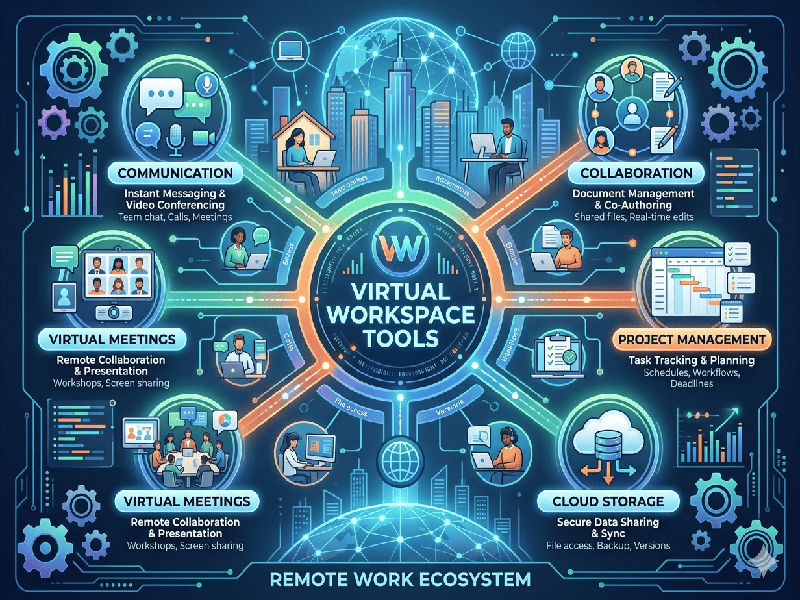
Virtual Workspace Tools
The
landscape of virtual workspace tools has evolved from simple video conferencing
to fully integrated ecosystems that mimic a physical office. These tools
generally fall into four key categories: communication, project management,
collaborative whiteboarding, and "digital HQ" environments.
1.
Communication & Real-Time Sync
These
platforms serve as the "conference room" and "watercooler"
of the virtual office.
- Microsoft Teams: The powerhouse for enterprises.
It integrates deeply with Office 365, combining chat, video, and file
storage.
- Slack: Known for its organized
channels and "huddles," it’s the gold standard for high-speed,
asynchronous communication and third-party app integrations.
- Zoom: While primarily for video, its
stability and "Breakout Room" features make it a staple for
large-scale webinars and structured meetings.
2.
Project Management & Workflow
To replace
the physical "status board," these tools track tasks, deadlines, and
accountability.
- Asana & Monday.com: Highly visual platforms that
use Boards, Timelines, and Gantt charts to track project progress.
- Trello: Uses a Kanban-style system
(cards and columns) that is ideal for straightforward workflows and visual
thinkers.
- ClickUp: An "all-in-one" tool
that attempts to replace several other apps by combining docs, goals, and
tasks in one place.
3. Visual
Collaboration (Whiteboarding)
Since you
can't stand together at a physical whiteboard, these tools provide an infinite
canvas for brainstorming and mapping.
- Miro: A robust infinite canvas used
for everything from UX wireframing to complex strategic planning. It
features thousands of templates.
- Mural: Similar to Miro but often
preferred by facilitators for its "private mode" and voting
features during workshops.
- FigJam: Built by Figma, this is a
lightweight, fun whiteboarding tool that excels for design-centric teams.
4.
Documentation & Knowledge Bases
Virtual
teams need a "single source of truth" to prevent information from
getting lost in chat history.
- Notion: A highly customizable workspace
where you can build internal wikis, databases, and roadmaps.
- Confluence: Often paired with Jira, it is
the industry standard for technical documentation and large-scale
corporate wikis.
- Google Workspace: The classic suite (Docs,
Sheets, Slides) remains the most seamless way to co-author documents in
real-time.