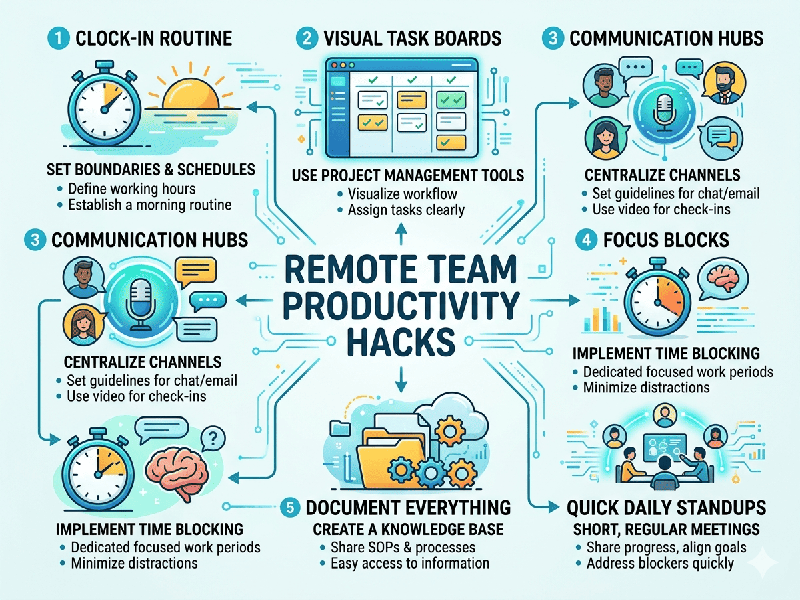
Remote Team Productivity Hacks
Managing a remote team effectively requires a shift from
tracking "hours spent" to measuring meaningful output. When
you can't walk over to someone's desk, productivity depends on clarity, trust,
and the right digital infrastructure.
1. Embrace "Asynchronous First" Communication
The biggest productivity killer in remote work is the
"Always On" culture. High-performing teams protect deep work blocks
by defaulting to async methods.
- The 5-Minute Rule: If a thought or update takes 5
minutes to explain, send a video recording or a voice note instead of
scheduling a 30-minute meeting.
- Documentation over Discussion: Use a central "Source of
Truth." If it isn't written down, it doesn't exist. This reduces
"pinging" colleagues for basic information.
- Status Indicators: Encourage strict use of
communication statuses (e.g., "🎧 Deep Work - Do Not Disturb") to eliminate the
guilt of not replying instantly.
2. Strategic Meeting Frameworks
Remote meetings should be rare and highly structured to avoid
"Zoom Fatigue."
- No-Agenda, No-Attending: If an invite doesn't have a
clear goal and bulleted agenda, it’s optional.
- The "Silent Start": Spend the first 5–10 minutes of
a meeting in silence, having everyone read a shared doc and add comments.
This ensures everyone is on the same page before a single word is spoken.
- Shorten by Default: Set your calendar to
"Speedy Meetings" mode—25 minutes instead of 30, or 50 minutes
instead of an hour—to give the team time to stretch and reset between
calls.
3. Visual Project Tracking
Without a physical office, visibility is everything. You need
a bird's-eye view of the workflow to prevent bottlenecks.
- Kanban Mastery: Move beyond simple lists. Use
Kanban boards to visualize "Work in Progress" (WIP) and identify
where tasks are getting stuck.
- Automated Nudges: Set up integrations where your
project management tool automatically pings a channel when a task hasn't
moved for more than 48 hours.
- Visualizing Success: Share weekly "Impact
Dashboards" that highlight key wins and metrics achieved, rather than
just tasks completed.
4. The "Social Capital" Hack
Remote productivity drops when team members feel like
"cogs in a machine." High trust leads to faster execution.
- Co-Working Sprints: Host optional "Deep
Work" sessions where everyone stays on a muted video call for 90
minutes. It simulates the energy of a shared office without the
distractions.
- Random Coffee Chats: Use automated tools to pair
team members for 15-minute non-work chats to maintain human connection.
- Results-Only Work Environment
(ROWE): Focus
entirely on the "What" and "When," and give the team
autonomy over the "How."
5. Technical Optimization
A team is only as fast as its tools.
- Snippet Sharing: Use text expanders for common
replies, SOP links, or code snippets to save hours of repetitive typing
every week.
- AI Integration: Use AI for drafting initial
reports, cleaning up transcripts, or summarizing long thread discussions
to get back to core tasks faster.