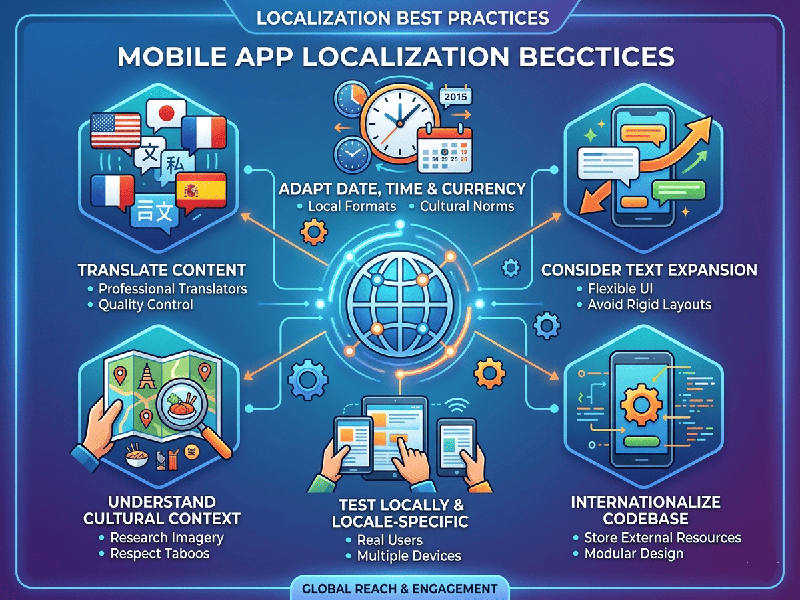
Mobile App Localization Best Practices
Localizing a mobile app goes beyond simple translation; it’s
about adapting the entire user experience to feel "native" to a
specific region.
1. Design for "Text Expansion"
Languages vary significantly in length. English is relatively
concise, but translating to German or French can increase text length by 30–40%,
while languages like Arabic or Hebrew may require mirroring the entire UI.
- Flexible Layouts: Use dynamic containers (like
Auto Layout in iOS or ConstraintLayout in Android) rather than fixed-width
buttons or labels.
- Avoid Concatenation: Don’t build sentences by
joining strings (e.g., "You have " + count + "
items"). Different languages have different word orders and
pluralization rules. Use placeholders instead.
2. Externalize All Strings
Never hard-code text into your app’s logic.
- Resource Files: Move every user-facing string
into separate resource files (e.g., strings.xml for Android or
Localizable.strings for iOS).
- UTF-8 Encoding: Ensure your files use Unicode
(UTF-8) to support various scripts like Devanagari (Hindi), Cyrillic,
or Mandarin.
3. Culture-Specific Adaptation
What works in one market might be confusing or offensive in
another.
- Iconography & Symbols: A "thumbs up" or
certain hand gestures are positive in Western cultures but can be
offensive in parts of the Middle East.
- Color Meaning: In India and China, white is
often associated with mourning, whereas in Western markets, it signifies
purity or weddings.
- Local Formats: Use system APIs to
automatically format dates (DD/MM/YY vs. MM/DD/YY), times (12h vs. 24h),
currencies (e.g., using the ₹ symbol for Indian users), and units
of measurement.
4. Implement Pseudolocalization
Before hiring translators, use
"Pseudolocalization"—a process where you replace text with accented
or lengthened characters (e.g., [!!! Àpp Lôcàlîzàtîôn !!!]).
- This helps developers spot hard-coded
strings that didn't get translated and identify UI breakage
caused by text expansion without needing to know the target language yet.
5. Localize the App Store (ASO)
Visibility starts before the download. Your App Store
Optimization (ASO) strategy must be localized.
- Keywords: Don't just translate keywords;
research what local users actually search for. For example, an Indian user
might search for "Bijli Bill" instead of "Electricity
Payment."
- Visual Assets: Use screenshots that feature
the localized UI and reflect local cultural contexts in the promotional
images.
6. Continuous Testing
- Real Device Testing: Emulators are helpful, but
testing on real devices in the target region is the only way to catch
issues like font rendering or cultural mismatches in icons.
- Context for Translators: Provide screenshots to your
translation team so they know whether a word like "Home" refers
to a house or a navigation menu.