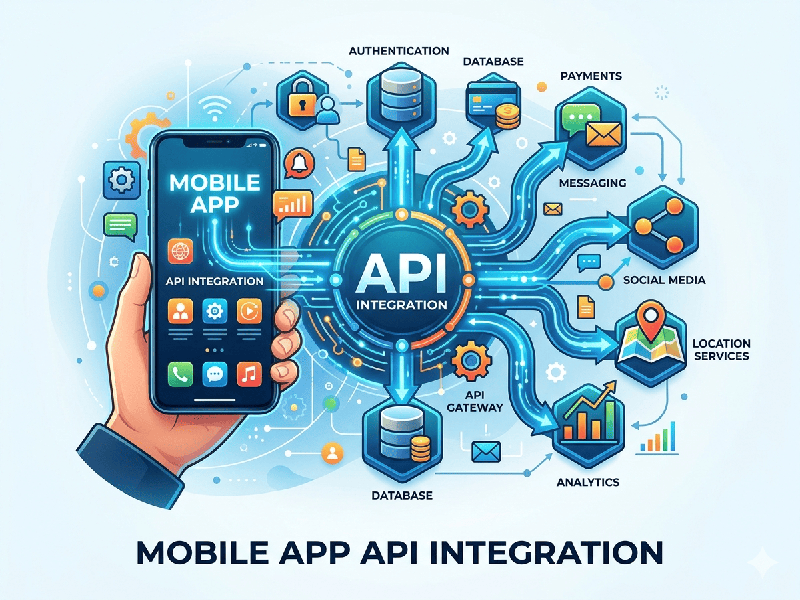
Mobile App API Integration
Mobile app API (Application Programming Interface)
integration is the standard "glue" that connects a mobile front-end
to back-end services, third-party tools (like Stripe or Google Maps), and AI
models.
Instead of building every feature from scratch, developers
use APIs to "borrow" functionality from other systems.
How API Integration Works
The process typically follows a Request-Response cycle
over a network (usually HTTPS).
1.
Request: The
mobile app sends a structured message (e.g., "Get the weather for
London").
2.
Authentication:
The API checks the app’s "passport" (API Key or OAuth token) to
ensure it’s allowed to enter.
3.
Processing:
The server performs the logic or fetches data from a database.
4.
Response: The
server sends back a payload, usually in JSON format, which the app then
displays to the user.
Common Architectural Styles
While REST remains the most popular, newer standards are used
for specific 2026 performance needs:
- REST (Representational State
Transfer): The
"old reliable." It uses standard HTTP methods (GET, POST,
DELETE) and is easy to implement.
- GraphQL: Highly efficient. It allows the
app to ask for exactly the data it needs (e.g., "just the
user's name, not their whole profile"), saving mobile data and
battery.
- WebSockets: Used for real-time features
like chat or live sports scores, where the server needs to
"push" data to the app instantly.
- gRPC: Often used for high-performance
communication between internal microservices.
2026 Best Practices for Security & Performance
With increasing cyber threats, modern integration requires
more than just a connection:
- OAuth 2.0 & JWT: Never store passwords. Use
short-lived tokens and "Refresh Tokens" to keep users logged in
securely.
- Certificate Pinning: A security technique that
ensures the app only talks to your specific server, preventing
"Man-in-the-Middle" attacks.
- Rate Limiting: Prevents your server from being
overwhelmed by too many requests (or a DDoS attack).
- Offline Caching: Using local databases (like
SQLite or Realm) to store API data so the app stays functional when the
user loses internet.
- Exponential Backoff: If an API call fails, the app
shouldn't spam the server. It should wait 1 second, then 2, then 4, etc.,
before retrying.
Why It Matters
- Faster Development: You don't build a map; you
integrate the Google Maps API.
- Scalability: You can update the backend
logic (the "brain") without forcing every user to update their
app in the App Store.
- AI Integration: Most modern apps now use APIs
to connect to LLMs (like Gemini) to provide smart features like
auto-summarization or image generation.