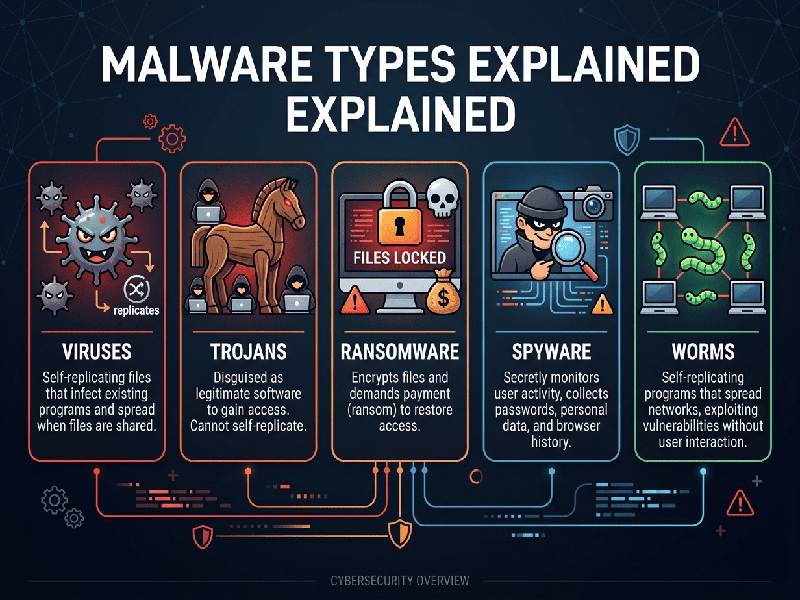
Malware Types Explained
The digital
landscape in 2026 sees malware evolving from simple disruptive scripts into
highly sophisticated, AI-driven tools designed for stealth and long-term data
exfiltration. Understanding these threats is the first step toward building a
resilient security posture.
1.
Ransomware
Currently
the most high-profile threat to businesses and individuals.
- What it does: Encrypts your files, making
them inaccessible, and demands a payment (usually in cryptocurrency) for
the decryption key.
- Modern Variant: Double Extortion.
Attackers not only lock your data but also steal a copy and threaten to
leak it publicly if the ransom isn't paid.
2.
Spyware & Stalkware
These
programs operate in complete silence to monitor your activity.
- What it does: Records keystrokes
(keyloggers), tracks GPS location, captures webcam feeds, and monitors
browser history.
- Goal: To steal login credentials,
financial information, or sensitive personal conversations.
3.
Trojans (Trojan Horses)
Named after
the Greek myth, these rely on social engineering and deception.
- What it does: Disguises itself as legitimate
software (e.g., a "free" PDF converter or a system update). Once
installed, it creates a "backdoor" for other malware to enter.
- Common Use: Banking Trojans specifically
target financial apps to redirect transfers or steal OTPs.
4. Adware
& Malvertising
While often
considered a "nuisance," modern adware can be a gateway to more
dangerous infections.
- What it does: Forces aggressive pop-ups and
redirects your browser to malicious sites.
- Malvertising: This involves injecting
malicious code into legitimate advertising networks, meaning you can get
infected just by viewing a popular, "safe" website.
5.
Fileless Malware
One of the
most difficult types to detect because it doesn't install a traditional
"file" on your hard drive.
- What it does: It operates entirely in the
computer's memory (RAM) and uses legitimate system tools (like Windows
PowerShell) to execute commands.
- Why it's dangerous: Since there is no signature
file for antivirus software to scan, it often bypasses traditional
security layers.