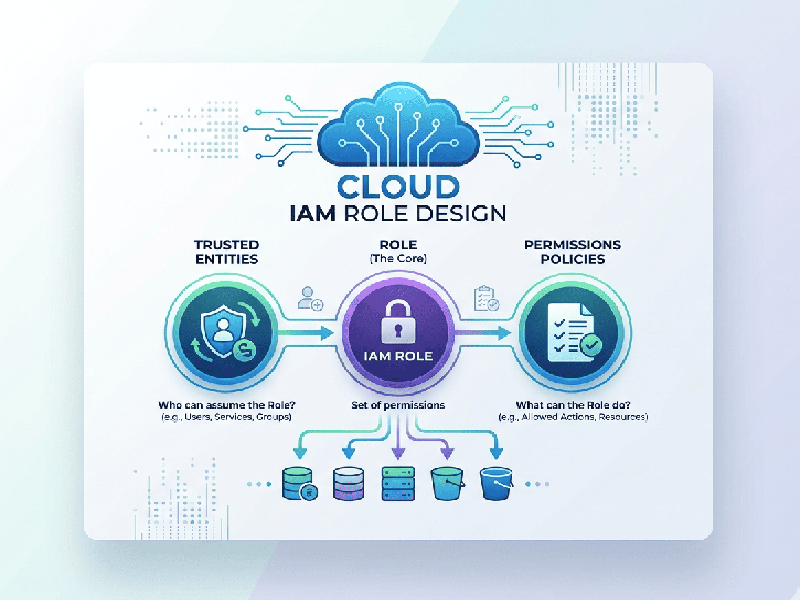
Cloud IAM Role Design
Effective Cloud Identity and Access Management (IAM) role
design is the cornerstone of a secure, scalable cloud environment. It shifts
the focus from managing individual users to managing permissions tied to
functions.
1. Core Principles of Role Design
Least Privilege (PoLP)
The most critical rule: a role should only possess the
minimum permissions required to perform its specific task. If a developer only
needs to upload files to an S3 bucket, their role should not have permissions
to delete the bucket or view other databases.
Separation of Duties
Ensure that sensitive tasks are split between different roles
to prevent conflict of interest or malicious activity. For example, the person
who deploys code should not be the same person who approves the
production infrastructure changes.
Policy-Based Access Control (PBAC)
Use Attribute-Based Access Control (ABAC) where possible. Instead of naming specific resources in a policy, use tags.
2. The Design Workflow
Step 1: Identity Mapping
Identify "Who" (Users, Groups, Services) needs
access. Group users by job function rather than individual names to reduce
administrative overhead.
Step 2: Define Trust Policies
Determine who is allowed to assume the role. This is
the "gatekeeper" of the role. For a service role, the trust policy
might specify that only the "Lambda Service" can assume it.
Step 3: Crafting Permission Policies
Use structured JSON (or YAML) to define:
- Effect: Allow or Deny.
- Action: Specific API calls (e.g.,
s3:PutObject).
- Resource: The specific ARN (Amazon
Resource Name) or resource ID.
- Condition: Extra constraints like IP
range, MFA requirement, or Time-of-day.
3. Avoiding Common Pitfalls
- Avoid Inline Policies: Always use Managed Policies.
This allows you to update a single policy and have it reflect across all
roles using it, rather than updating roles one by one.
- Beware of Wildcards (*): Using Resource: * or Action: *
is dangerous. Be specific. Instead of s3:*, use s3:GetObject.
- Neglecting Auditing: Roles should be regularly
reviewed using tools like Access Advisor to see which permissions are
granted but never used. These should be revoked to reduce the
attack surface.