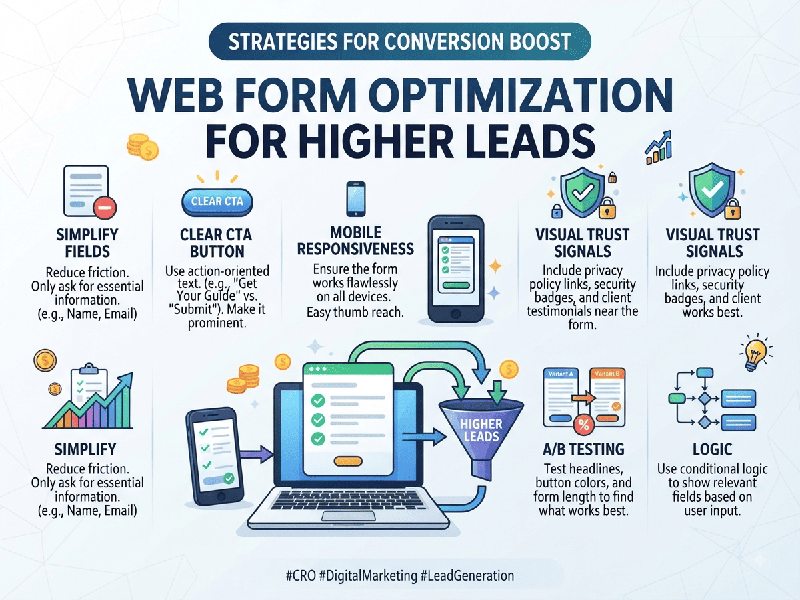
Web Form Optimization for Higher Leads
Web form optimization is the practice of refining form
design, fields, and user experience to minimize friction and maximize
conversion rates (leads). In modern B2B and high-intent digital environments,
every eliminated friction point directly impacts lead acquisition cost and
pipeline growth.
1. Strategic Field Reduction & Architecture
- Audit Form Fields: Ruthlessly strip away
non-essential fields. Only ask for information necessary for the immediate
follow-up (typically Name, Work Email, and Company).
- Progressive Profiling: For longer forms or multi-step
processes, capture basic data upfront and collect deeper qualification
details over subsequent interactions rather than overwhelming the user on
first touch.
- Smart Field Types: Utilize dropdowns, radio
buttons, or pre-populated selectors instead of open text fields wherever
possible to reduce cognitive load and typing effort.
2. User Experience (UX) & Visual Friction
Reduction
- Inline Validation: Implement real-time error
checking as the user types (e.g., instantly flagging invalid email formats
or missing characters) rather than waiting for a full-page submission
failure.
- Auto-Fill & Smart Defaults: Enable browser auto-fill
attributes (autocomplete="name", autocomplete="email")
and utilize IP-based geolocation or corporate domain lookup to pre-fill
known details.
- Mobile-First Design: Ensure input fields, buttons,
and error messages scale seamlessly across mobile viewports, triggering
the correct mobile keyboard (e.g., numeric keypad for phone numbers).
3. Trust, Privacy, and Value Communication
- Clear Microcopy: Replace generic button text
like "Submit" or "Click Here" with action-oriented,
value-driven phrasing (e.g., Get Your Free Report, Start Growing,
Request Demo).
- Privacy Assurance: Explicitly display data
security reassurances, anti-spam commitments, and links to privacy
compliance policies near the call-to-action button to alleviate user
hesitation.
- Social Proof & Context: Place customer logos, trust
badges, or brief value bullet points adjacent to the form to reinforce the
immediate benefit of submitting.
4. Technical Performance & Conversion Tracking
- Page Speed Optimization: Ensure the form script and
underlying page load instantaneously. Form abandonment spikes
significantly with even a one-second delay.
- Frictionless Submission States: Replace jarring page reloads
with inline success states, dynamic thank-you messages, or instant
calendar scheduling links to maintain momentum.
- Granular Analytics &
Drop-Off Tracking: Track field-level analytics (using tools like Hotjar or Google Tag
Manager) to identify precisely which fields cause users to abandon the
form.