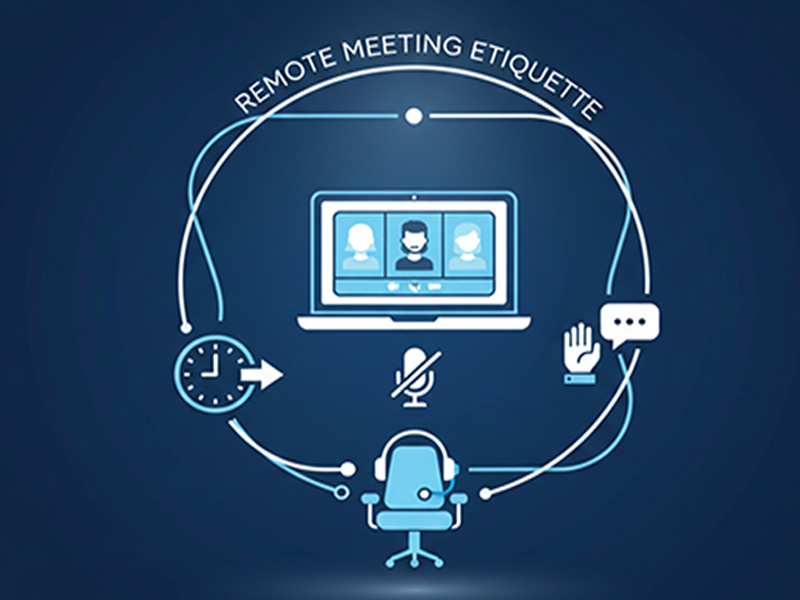
Remote Meeting Etiquette
Remote
meeting etiquette has evolved to balance advanced AI integration with
"human-first" professional standards. Following these guidelines
ensures efficiency and maintains professional rapport in a hybrid world.
1.
Professional Setup & Environment
- Camera and Lighting: Always keep your camera on
for collaborative sessions unless specified otherwise. Use high-definition
settings and ensure your primary light source is in front of you, not
behind [1, 5].
- Background Management: Use a clean, professional
physical space or a high-quality blurred/branded digital background to
minimize distractions [1, 2].
- Audio Quality: Use a dedicated headset or
noise-canceling microphone. Stay on mute when not
speaking to prevent background noise from disrupting the flow [2,
4].
2. AI and
Automation Protocol
- Transparency: If you are using an AI
Notetaker or recording the session, notify participants at the
start of the meeting or include it in the calendar invite [4].
- AI Summaries: Use AI-generated summaries
to catch up if you join late, rather than asking the group to repeat
information [6].
- Engagement: Do not use "AI
Avatars" to stand in for you during interactive meetings; physical
presence is required for active decision-making.
3.
Engagement and Body Language
- Eye Contact: Look directly into
the camera lens when speaking, rather than at your own
image on the screen, to simulate eye contact [1, 5].
- Active Listening: Use non-verbal cues
(nodding, smiling) and digital "reactions" (likes/claps) to show
engagement without interrupting the speaker [1, 6].
- The "Raise Hand"
Feature: Use
the digital hand-raise tool to queue your questions, especially in large
meetings, to avoid talking over others [3, 4].
4. Time
and Agenda Management
- Punctuality: Join 1–2 minutes early to
troubleshoot technical issues. In 2026, many platforms use
"auto-start," so being late is highly visible [2, 3].
- Agenda-First: Never host a meeting
without a pre-circulated agenda. If a meeting has no clear goal, it should
likely be an asynchronous update instead [3, 6].
- Multi-tasking: Avoid
"second-screening" (checking phones or emails). If you are
caught multi-tasking, it signals that the meeting is a poor use of your
time [1, 5].