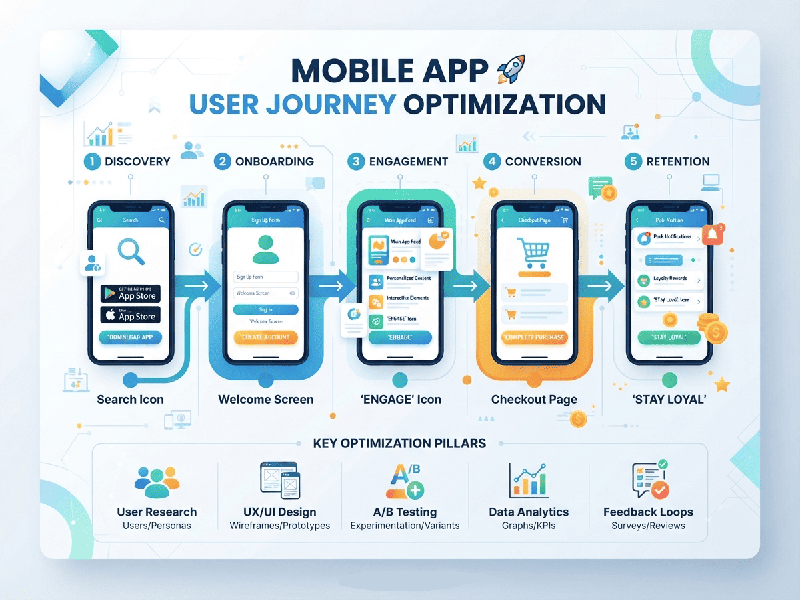
Mobile App User Journey Optimization
Optimizing the Mobile App User Journey is
critical for driving retention, engagement, and conversion. Because mobile
screens are smaller and user attention spans are short, every friction point
drastically impacts drop-off rates.
Here are the essential best practices for mapping,
analyzing, and optimizing the mobile app user journey:
1. Streamline the Onboarding Experience
- Reduce Friction: Minimize required fields during
sign-up. Allow social logins (Google, Apple, OTP) to lower the barrier to
entry.
- Defer Registration: Let users explore the app and
experience its core value ("Aha! moment") before forcing them to
create an account.
- Interactive Tooltips: Use progressive disclosure—show
contextual hints and walkthroughs only when the user reaches a specific
feature, rather than dumping all instructions at the start.
2. Optimize App Performance and Speed
- Minimize Load Times: Ensure screens render quickly.
Slow load times are the #1 driver of app uninstalls.
- Offline Functionality: Cache essential data locally so
the app remains usable and responsive even with a weak network connection.
- Reduce App Size: Keep the download package
lightweight to avoid high bounce rates from users on limited mobile data.
3. Implement Behavior-Driven Analytics
- Funnel Analysis: Track step-by-step drop-offs in
critical flows (e.g., Onboarding
- Session Replays & Heatmaps: Use tools like Firebase,
Mixpanel, or Hotjar to watch how users navigate taps, scrolls, and dead
clicks.
- Cohort Analysis: Group users by behavior or
acquisition channel to understand which segments have the highest lifetime
value (LTV) and smoothest journeys.
4. Personalize the In-App Experience
- Contextual Recommendations: Deliver tailored content,
product suggestions, or notifications based on past user behavior and
preferences.
- Dynamic UI: Adjust home screens and
navigation shortcuts depending on whether the user is a first-time
visitor, a casual browser, or a power user.
5. Perfect Push Notification & Retention Loops
- Value-First Messaging: Ensure push notifications offer
clear value (e.g., order updates, relevant discounts) rather than generic
spam.
- Opt-In Timing: Don't ask for push notification
permissions immediately upon launch. Ask at a contextual moment when the
user understands the value (e.g., after placing an order or saving an
item).
- Deep Linking: Use deep links to route users
from external channels (emails, ads, push notifications) directly to the
exact in-app screen relevant to the campaign.
6. Simplify Conversions and Navigation
- Thumb-Zone Design: Place primary Call-to-Action
(CTA) buttons, navigation menus, and checkout links within easy reach of
the user's thumb (the lower half of the screen).
- Frictionless Checkouts: Support quick-payment methods
(Apple Pay, Google Pay, UPI) to minimize form-filling fatigue on mobile
keyboards.
- Persistent Search: Keep a responsive, intuitive
search bar easily accessible so users don't get lost in deep category
trees.