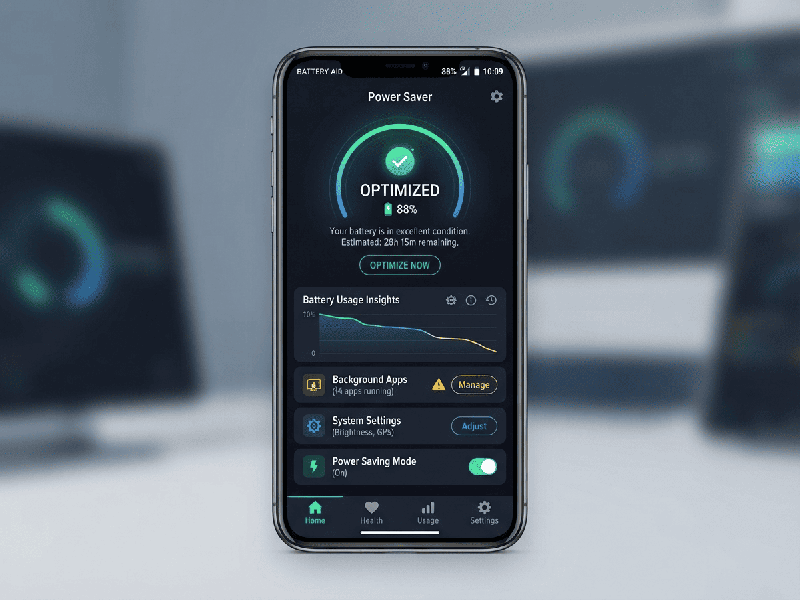
Mobile App Battery Optimization
Mobile app battery optimization refers to the practice
of designing, developing, and configuring mobile applications to minimize power
consumption on smartphones and tablets. Because mobile devices rely on finite
battery capacity, inefficient apps that drain power quickly cause device
heating, sluggish performance, and rapid uninstalls by frustrated users.
Core Areas of Battery Drain
To optimize battery life, developers must target the
primary hardware components that consume power:
1.
CPU/Processor:
Excessive background processing, heavy algorithms, or constant polling keep the
CPU awake, preventing the device from entering low-power "sleep"
states.
2.
Network Operations: Frequent, unbundled network requests (cellular or Wi-Fi) wake up the
device’s radio chips, which are major power drains.
3.
Location Services: Constantly querying GPS or high-accuracy location providers is one of
the fastest ways to drain a battery.
4.
Display & Graphics: High screen brightness demands, excessive animations, and
heavy GPU rendering consume significant power.
5.
Sensors & Peripherals: Continuous use of Bluetooth, cameras, or accelerometers
keeps hardware components active unnecessarily.
Key Best Practices for Battery Optimization
- Batch Network Requests: Instead of making multiple
individual API calls throughout the day, batch data transfers together or
defer non-urgent syncing until the device is connected to Wi-Fi and
charging.
- Use System Scheduling APIs: Leverage modern OS schedulers
(such as WorkManager on Android or BackgroundTasks on iOS)
to let the operating system intelligently group and delay background tasks
based on device state, battery level, and network availability.
- Optimize Location Tracking:
o Avoid continuous GPS polling.
o Use coarse location updates (cell
towers or Wi-Fi triangulation) when high precision isn't required.
o Stop location updates immediately
when the user exits the relevant screen or feature.
- Minimize Wakelocks: Be extremely cautious with
keeping CPU "wakelocks" active. Always ensure timeouts are set
so the device can return to sleep mode when tasks are complete.
- Listen to System State Changes: Register receivers or observers
to pause resource-intensive tasks (like heavy syncs or animations) when
the device enters low-power/battery-saver mode.
- Reduce UI and Rendering
Overhead:
Remove unnecessary UI rendering loops, stop animations when views are
hidden or off-screen, and use dark mode options to save power on
OLED/AMOLED screens.