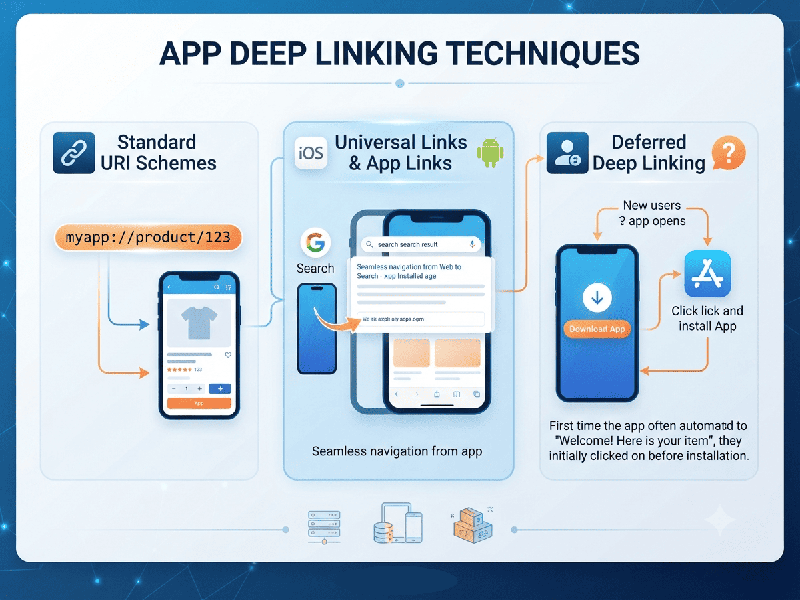
App Deep Linking Techniques
App deep linking is the practice of using a URL or
custom protocol to route users directly to specific content, products, or
screens inside a mobile application, rather than dropping them onto the generic
home screen.
1. Core Deep Linking Techniques
- Standard URI Schemes (Custom
Schemes)
o How it works: Uses a custom protocol defined by
the app (e.g., agrived://products/organic-honey). The OS checks which app has
registered that scheme and launches it.
o Limitations: If the app is not installed,
the link fails entirely, often resulting in an unhandled error or blank page.
Additionally, custom schemes are prone to hijacking because multiple apps can
theoretically register the same scheme.
- Universal Links (iOS)
o How it works: Apple's secure HTTPS-based protocol
(e.g.,
[https://agrivedfoods.com/products/organic-honey](https://agrivedfoods.com/products/organic-honey)).
iOS verifies ownership via an apple-app-site-association (AASA) JSON file
hosted on your domain.
o Fallback behavior: If the app is installed, it opens
seamlessly; if not, the link falls back gracefully to open the standard mobile
web page in Safari.
- Android App Links (Android)
o How it works: Google's equivalent to Universal
Links. Uses standard HTTPS URLs verified via an assetlinks.json file hosted in
the .well-known directory of your website.
o Fallback behavior: Opens the app directly without
showing a system disambiguation/chooser dialog if verified. Otherwise, it
defaults smoothly to the browser.
- Deferred Deep Linking
o How it works: Solves the "app not
installed" acquisition gap. When a user clicks a link without having the
app, they are routed to the App Store or Google Play Store. Once they download,
install, and open the app for the first time, the original context (e.g., a
specific product or promo code) is preserved and passed into the app session. This
typically requires a third-party attribution SDK (such as Branch, AppsFlyer, or
Adjust).
2. Implementation Architecture
- The Server-Side Configuration
(.well-known files):
o iOS AASA File: Must be hosted at
[https://yourdomain.com/.well-known/apple-app-site-association](https://yourdomain.com/.well-known/apple-app-site-association)
with a strict application/json content-type header and no redirects.
o Android Asset Links File: Must be hosted at [https://yourdomain.com/.well-known/assetlinks.json](https://yourdomain.com/.well-known/assetlinks.json)
containing your app package name and correct SHA-256 signature certificate
fingerprint.
- Client-Side Routing &
Handlers:
o Ensure your cross-platform framework
(such as React Native, Flutter, or native code) properly listens to initial
launch URLs (cold starts) as well as active state background events.
o Map URL paths cleanly to your
navigation container (e.g., matching /shop/category/:id directly to your app’s
catalog view controller or screen).
3. Best Practices for Production
- Never Rely Solely on Custom
Schemes: Always
implement Universal Links and Android App Links for external marketing
channels (SMS, emails, social bios, and web-to-app banners) to ensure a
stable web fallback.
- Avoid Redirect Chains: Ensure your deep link domains
do not feature HTTP-to-HTTPS redirects or short-link wrappers that strip
headers, as this breaks the OS verification process for Universal/App
Links.
- Handle Edge Cases &
Fallbacks Gracefully: If a deep link points to an item or product that has been deleted
or is out of stock, design the app to fall back to a relevant category
view or search results page instead of throwing an unhandled exception or
blank screen.
- Routinely Validate Domain
Configuration: Use
platform validation tools (like Apple's App Site Association Validator or
Google's Statement List Generator/Tester) after updating hosting or
routing rules to ensure verification files are correctly exposed.